A professional-grade 3D viewer that reads and displays a comprehensive range of 3D file formats supported by Assimp (OBJ, FBX, COLLADA, BLEND, and more) and CAD formats, including STEP, IGES, and BRep files via OpenCASCADE, and displays FEM / CFD simulation results (VTK, CalculiX, Exodus II, CGNS, MED, OpenFOAM, VTKHDF). Features physically-based rendering (PBR), advanced material systems with Khronos KHR extensions, and sophisticated CAD visualization capabilities.
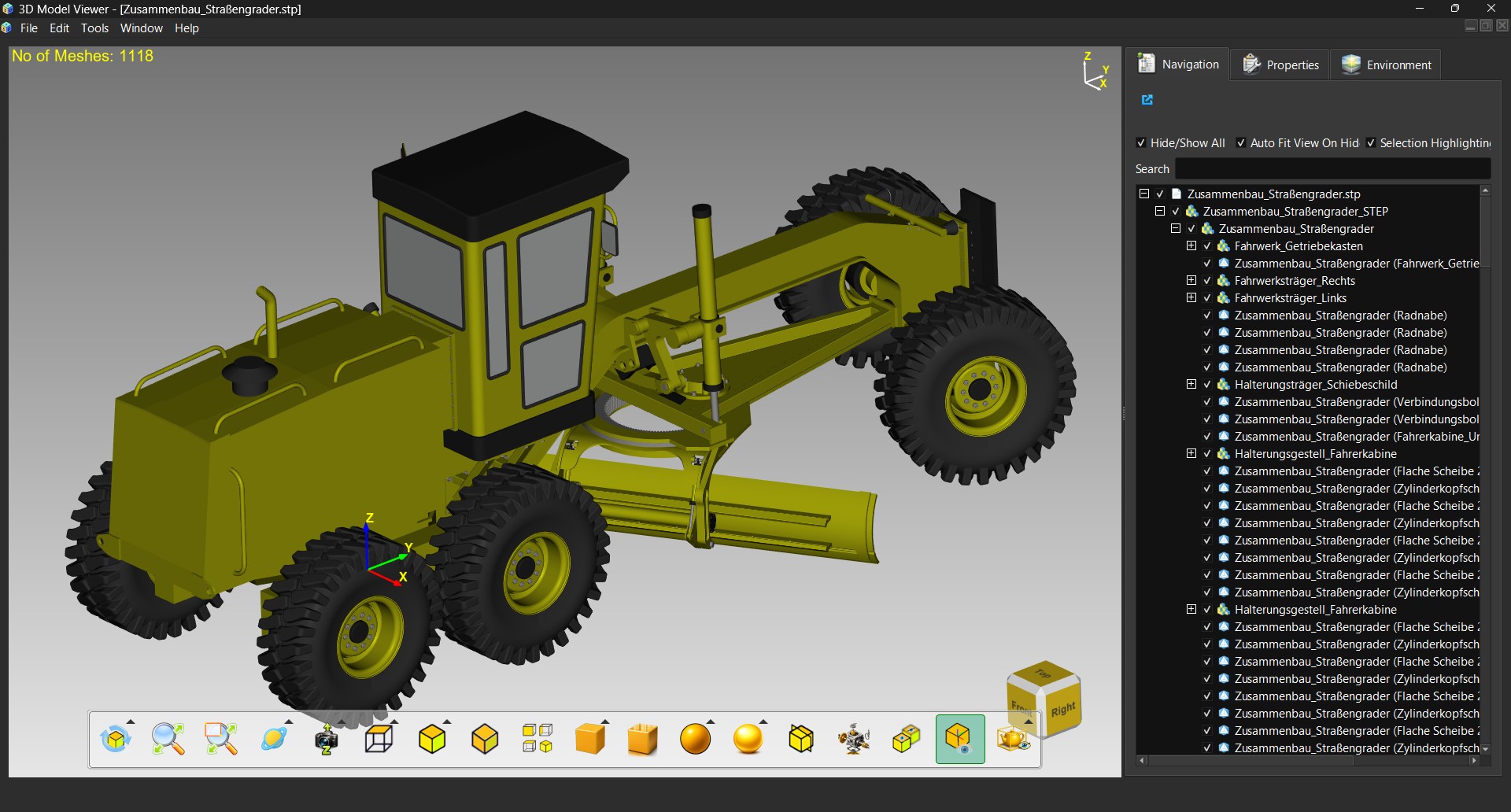
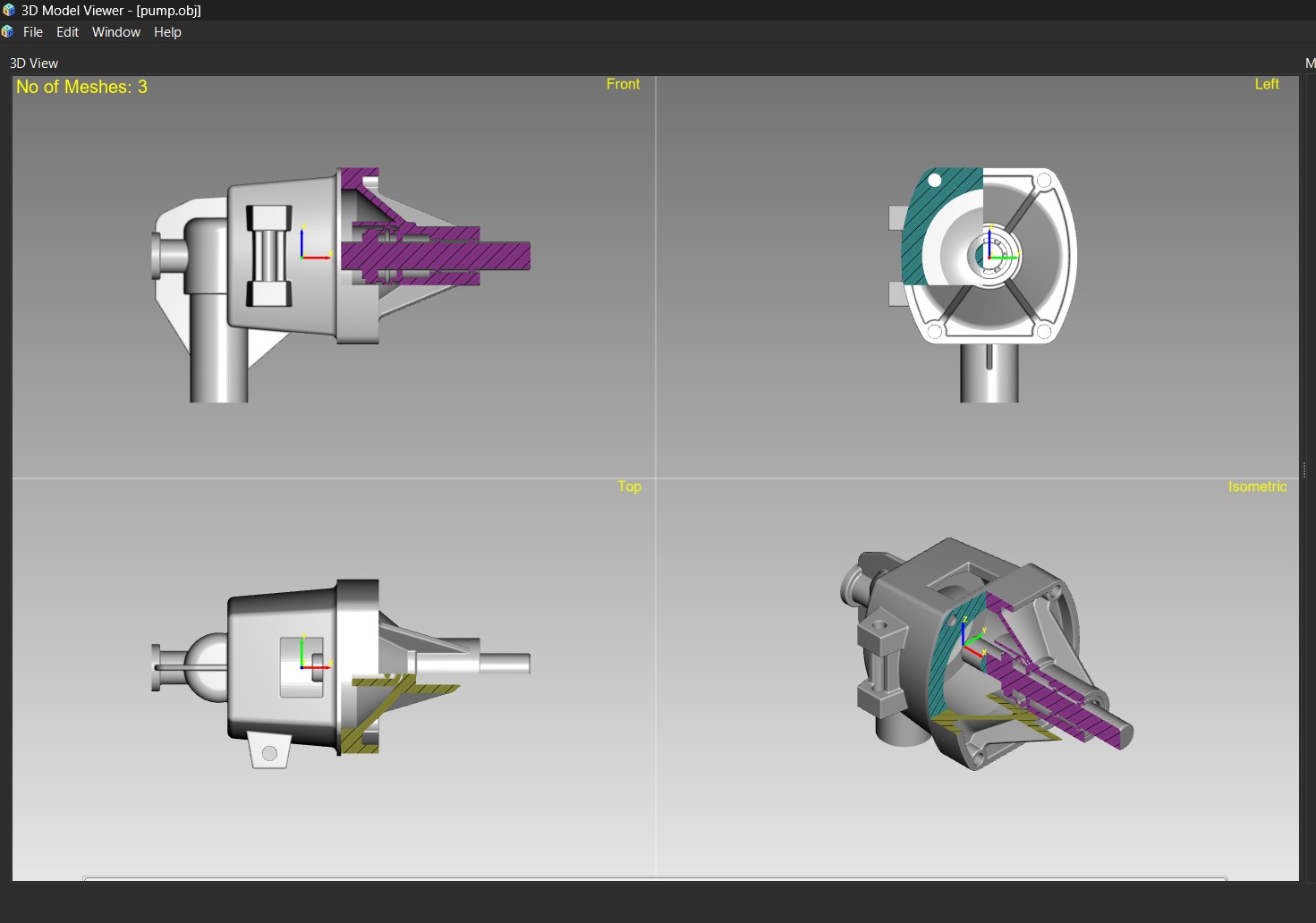
ADS Mode for CAD Visualization
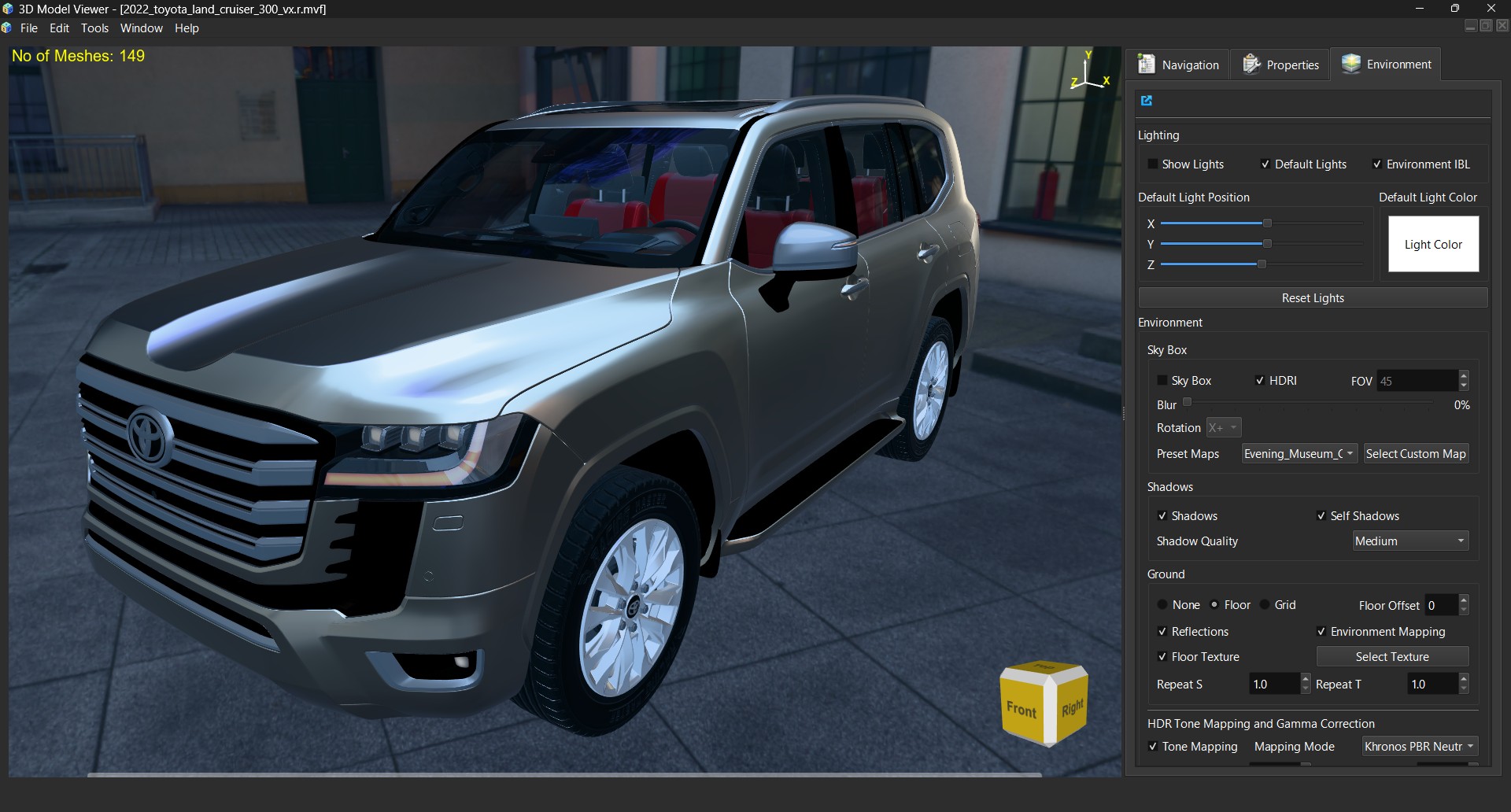
PBR Mode for Advanced Visualization
What's new in 2026.11
ModelViewer now reads simulation results (FEM / CFD) and plots your own data in 3D, and adds a ray tracer, measurement and annotation, CGAL-based mesh tools and surface analysis. The application has a What's New dialog and a 29-lesson tutorial in English, German, Spanish, French and Italian, and there is a PDF guide Simulation Results and 3D Plotting in the same languages: English, Deutsch, Español, Français, Italiano.
Download: the latest release has a Windows
installer (.exe) and a Linux .deb for Ubuntu 26.04 LTS
(sudo apt install ./modelviewer_2026.11.0_amd64.deb). The full list of changes is in the
changelog.
Video tutorials: a series of short tutorials, from opening a model to simulation results, 3D plots and ray tracing, is on the ModelViewer YouTube channel.
Optional content packs: to keep the installer small it carries 53 materials and 23 HDRI maps. The complete
material library (about 2.2 GB, two zips), all HDRI environment maps (about 1.0 GB) and the optional
large simulation samples are separate downloads on the same release page. Unzip each into the ModelViewer data folder
(Windows: C:\Program Files\ModelViewer\share\ModelViewer, Linux: /usr/share/ModelViewer, administrator rights needed),
restart ModelViewer, and the new materials and environments appear. Step-by-step commands are in the
README.
Features Overview
Simulation Results
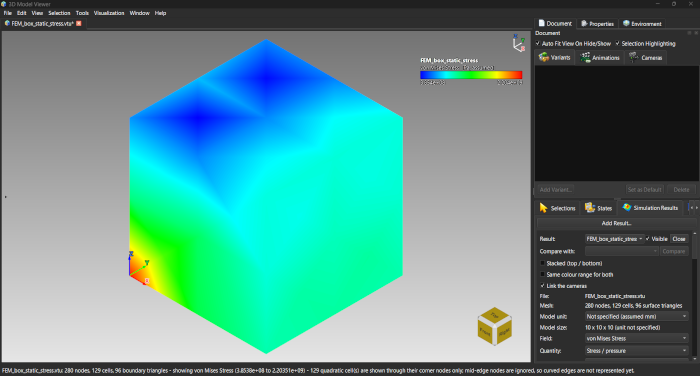
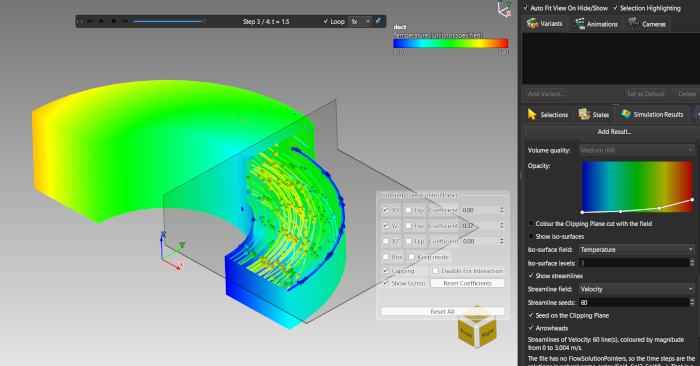
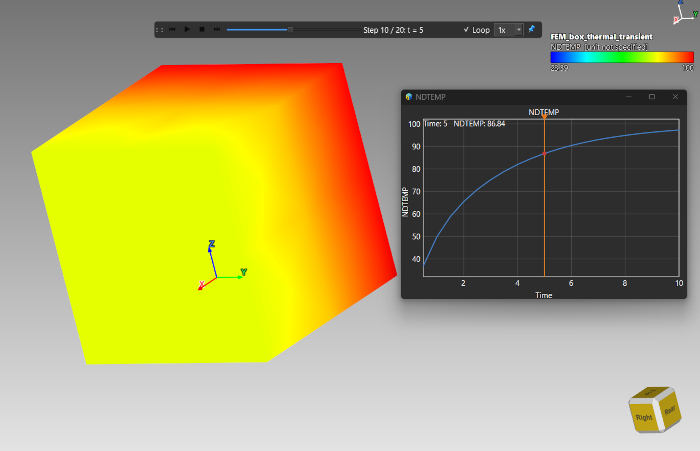
ModelViewer displays the results of FEM and CFD solvers; it does not mesh or solve. A result opens as its outer surface coloured by any field, and the tools below look inside it.
- Readers: VTK (
.vtk,.vtu), CalculiX.frd, Exodus II, CGNS, MED, OpenFOAM cases, VTKHDF; large results load step by step - Fields: node and cell data, vectors, tensors, derived stress fields (von Mises, Tresca, principal, maximum shear), units with a file and a display unit
- Display: colour maps and ranges, contour bands, deformed shape, min/max markers, vector arrows, stress ellipsoids, a timeline with playback
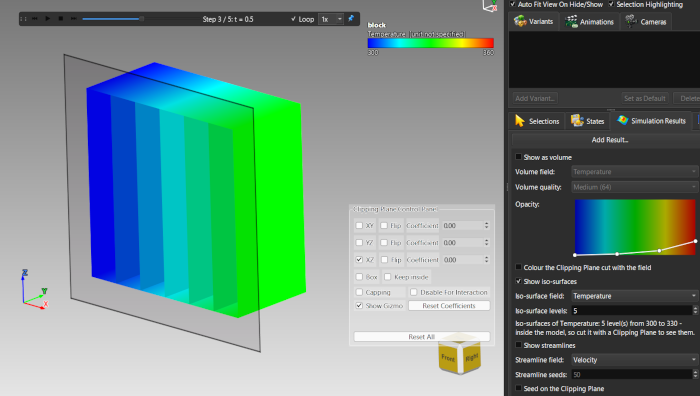
- Looking inside: plane sections, iso-surfaces, streamlines, volume rendering, a hover probe, charts over time and along a line (with your own curves from CSV)
- Compare two results side by side; results are saved inside an
.mvfsession
3D Data Plotting
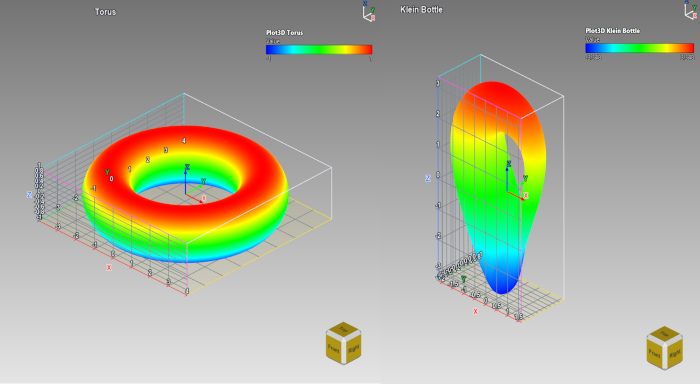
Plot tables of numbers, formulas and time series in the same 3D scene as your models, with the same camera, section, annotation and export tools.
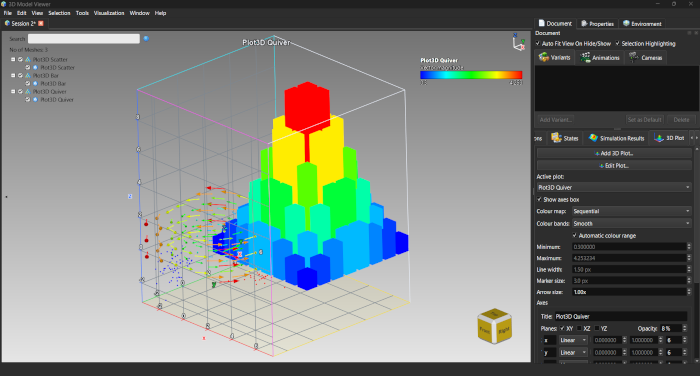
- Plot types: surface, contour, line, scatter, bar / histogram, voxel, vector field, pathlines, image on a plane
- Sources: CSV or pasted data, and formulas (surface, parametric surface and curve, implicit surface, vector field, streamlines, pathlines) with presets
- Shared axes (linear, Log 10, SymLog), fills between curves, text notes, a section probe, animated pathlines, edit-in-place, glTF / GLB / OBJ export of point and line plots
Ray Tracing
A physically based ray tracer with a CPU engine (Embree) and an optional GPU engine (NVIDIA OptiX), a live ray-traced viewport, offline renders of any size, OIDN denoising and batch rendering of captured views.
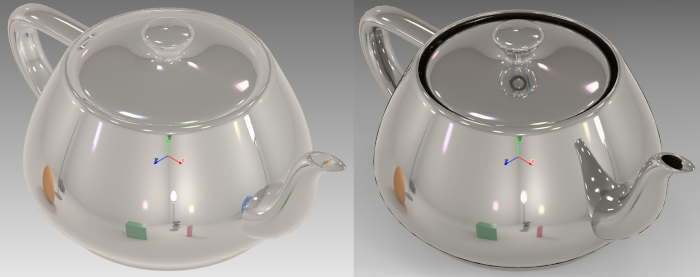
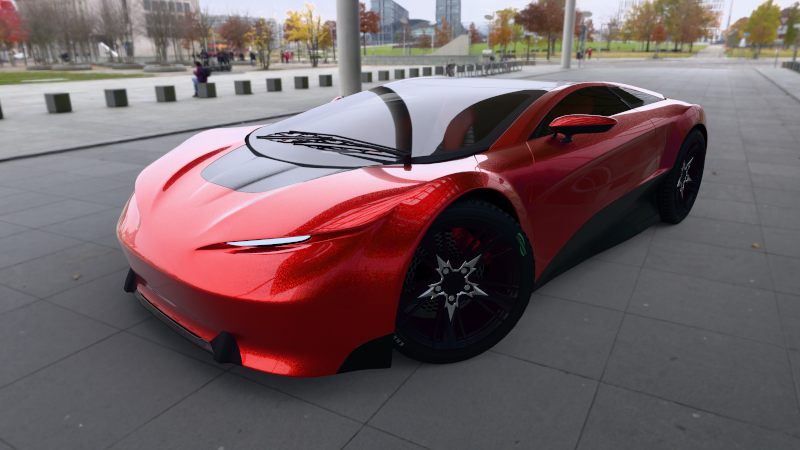
Model: "Car Concept" by Eric Chadwick, CC BY 4.0, from the Khronos glTF Sample Assets.
Measure, Annotate and Report
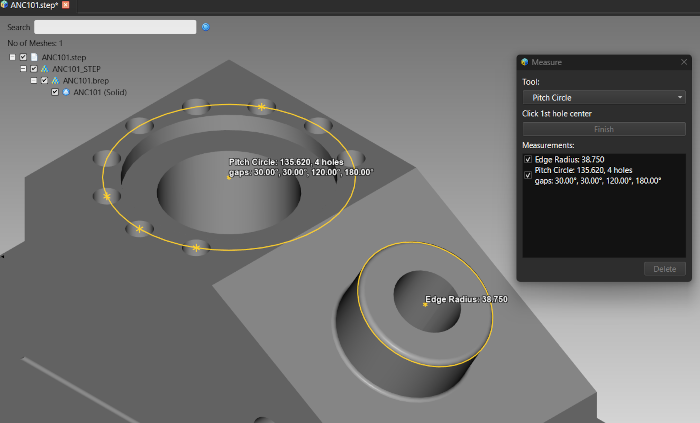
Point, distance, angle, radius, diameter, pitch-circle, area and geodesic measurements with CAD-style dimension lines, text annotations, and a PDF report of captured views with their measurement and annotation table.
Mesh Tools and Surface Analysis
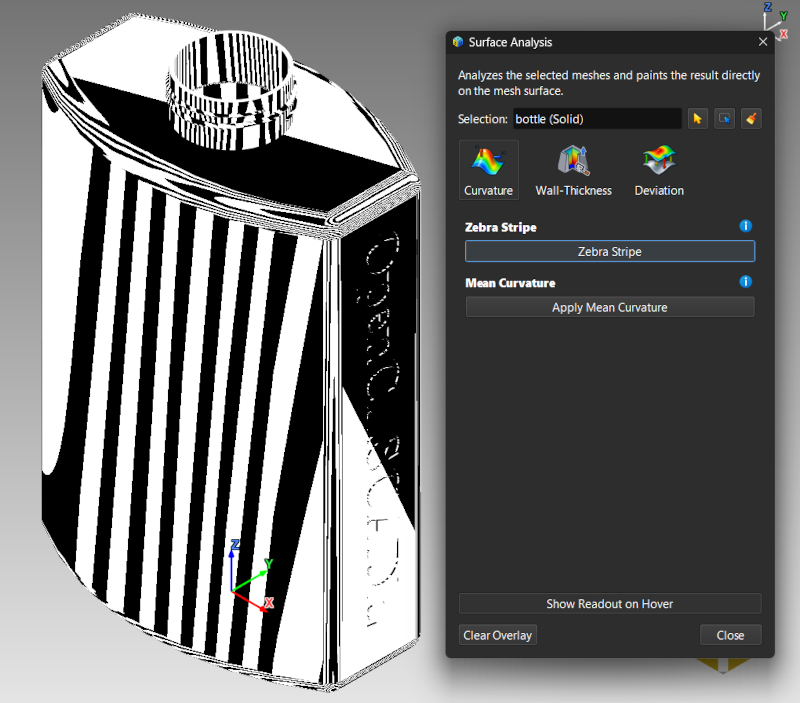
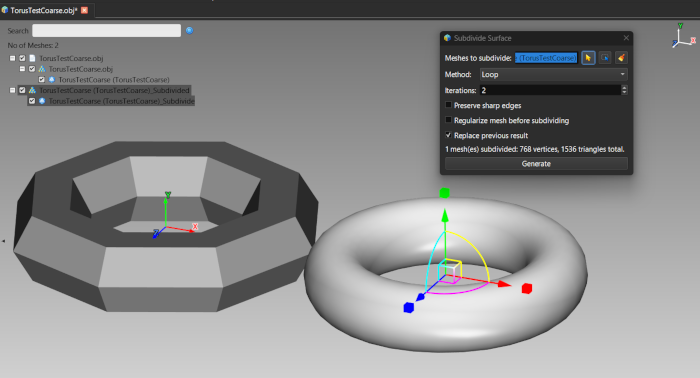
- Editing: Mesh Union (boolean), Shrink Wrap, Subdivide Surface, Reconstruct Surface from point clouds, Repair Mesh, Fill Holes, split / merge / group, UV generation
- Analysis: draft angle, zebra stripes, curvature, wall thickness, deviation, and mass properties (volume, mass, centre of gravity) per mesh and material
Rendering Modes & Visualization
ModelViewer supports a comprehensive range of visualization and rendering styles for different inspection and analysis needs:
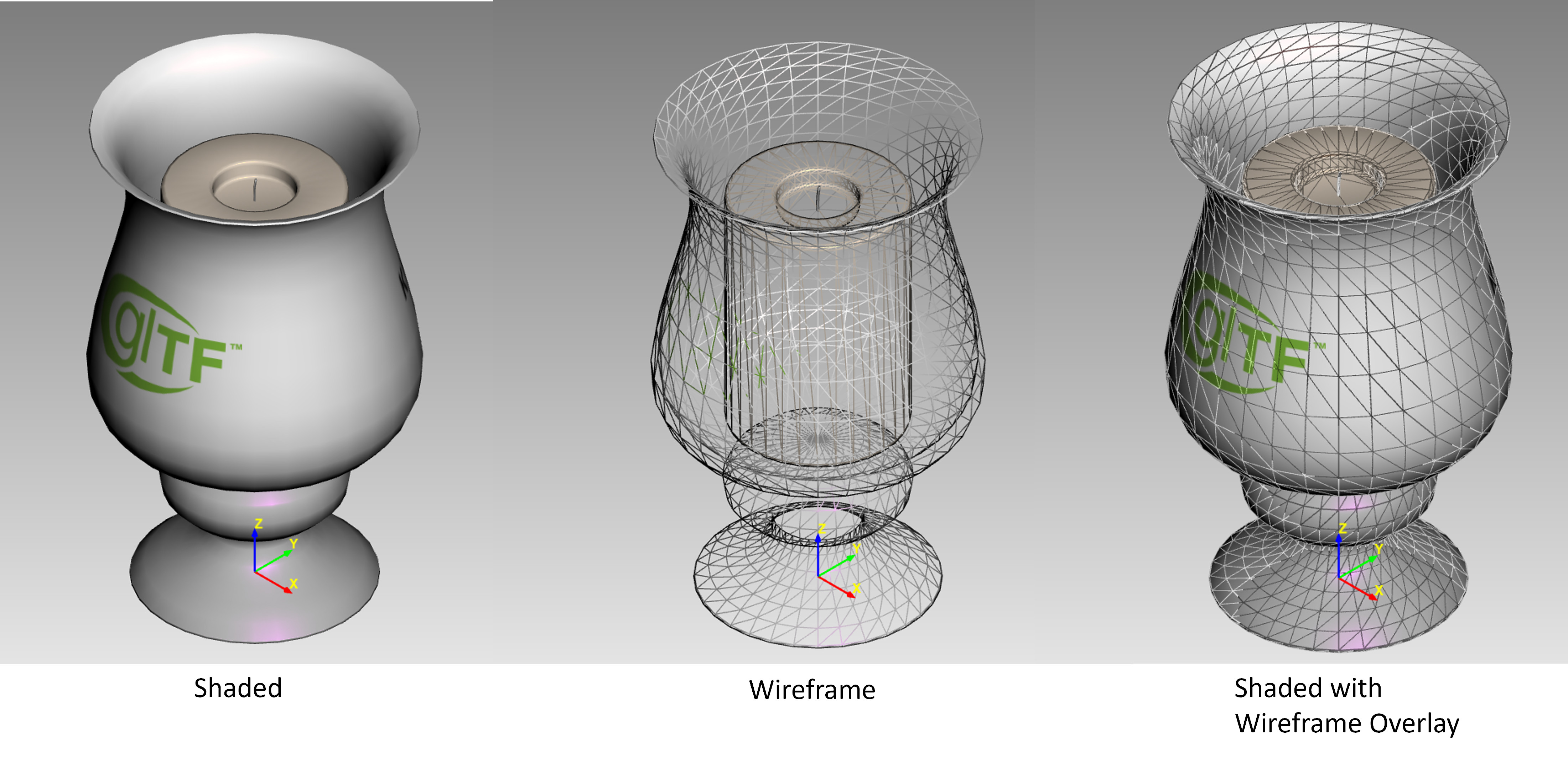
- Solid Shading: Standard surface rendering
- Wireframe: Edge visualization for topology inspection
- Wireframe Overlay: Wireframe on solid for combined visualization
- Vertex Colors: Direct vertex color visualization from model data
- ADS (Ambient-Diffuse-Specular): Traditional Phong-based lighting model
Advanced Rendering Modes
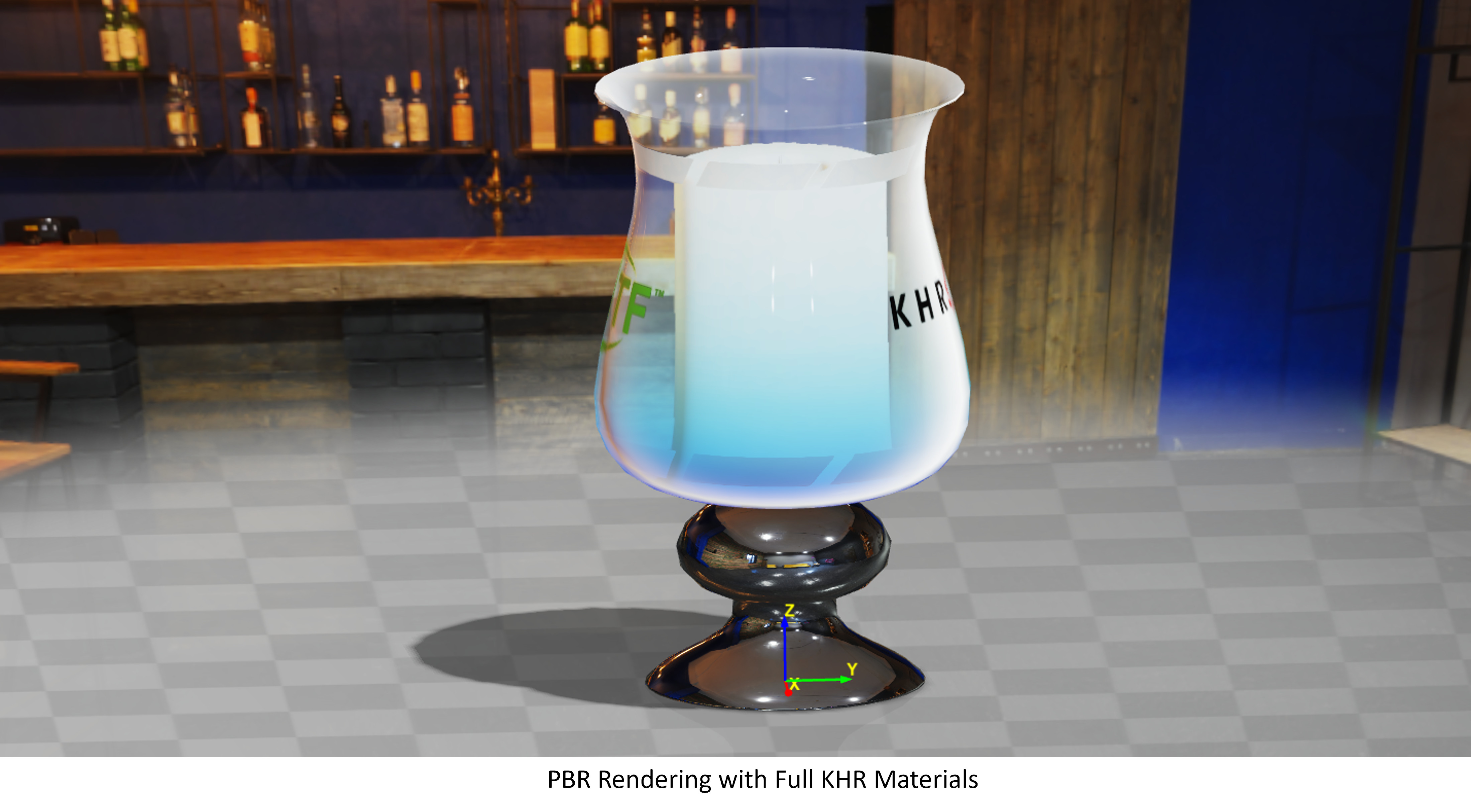
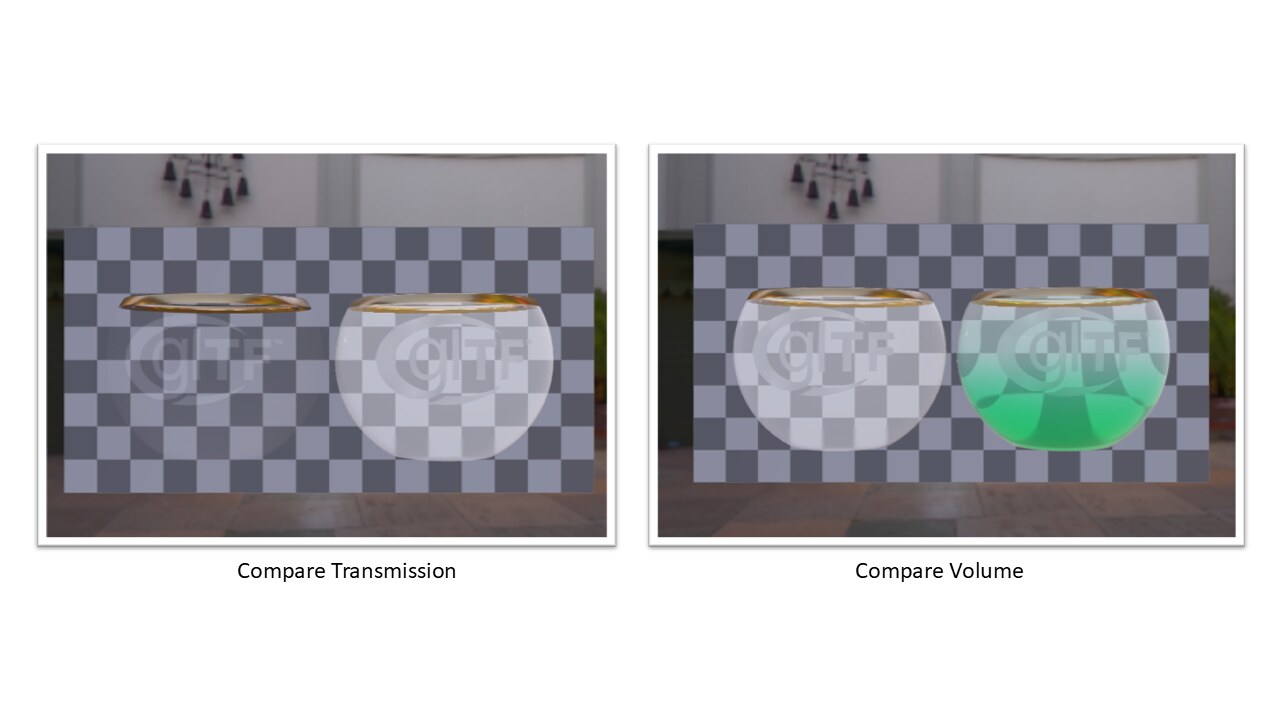
Metallic Roughness, Transmission, and Volume
Sheen, Alpha Coverage
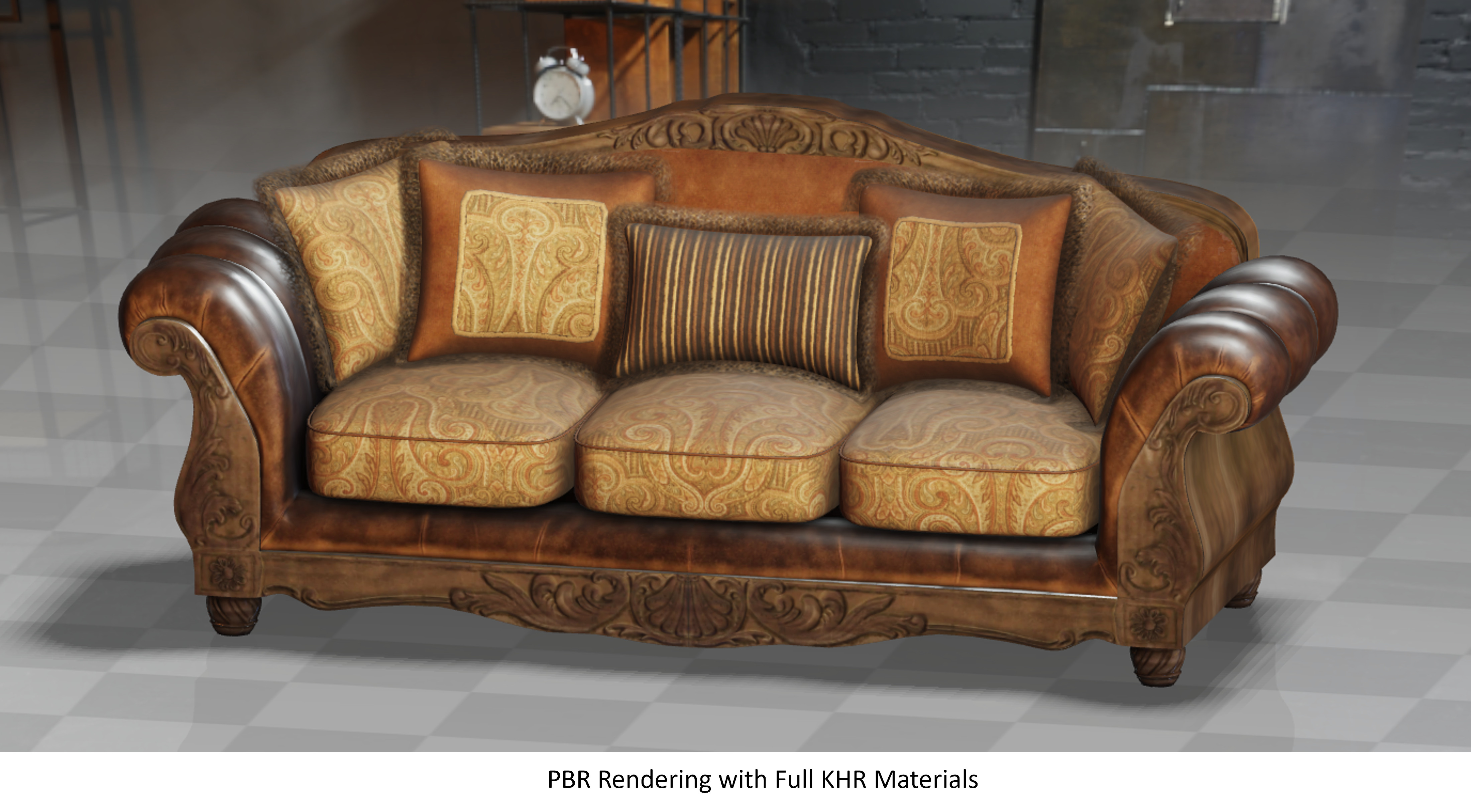
Sofa: "SheenWoodLeatherSofa" by Fran Calvente (CC0), with 2024 improvements by Eric Chadwick, © Darmstadt Graphics Group GmbH, CC BY 4.0, from the Khronos glTF Sample Assets.
- Physically-Based Rendering (PBR): Full Cook-Torrance BRDF implementation with metallic/roughness workflows
- Split-Sum IBL: Image-based lighting with irradiance and prefiltered environment maps
- Shadow Mapping: PCF-based shadow filtering with support for directional, point, and spot lights
- Parallax/Bump Mapping: Height-based surface detail rendering
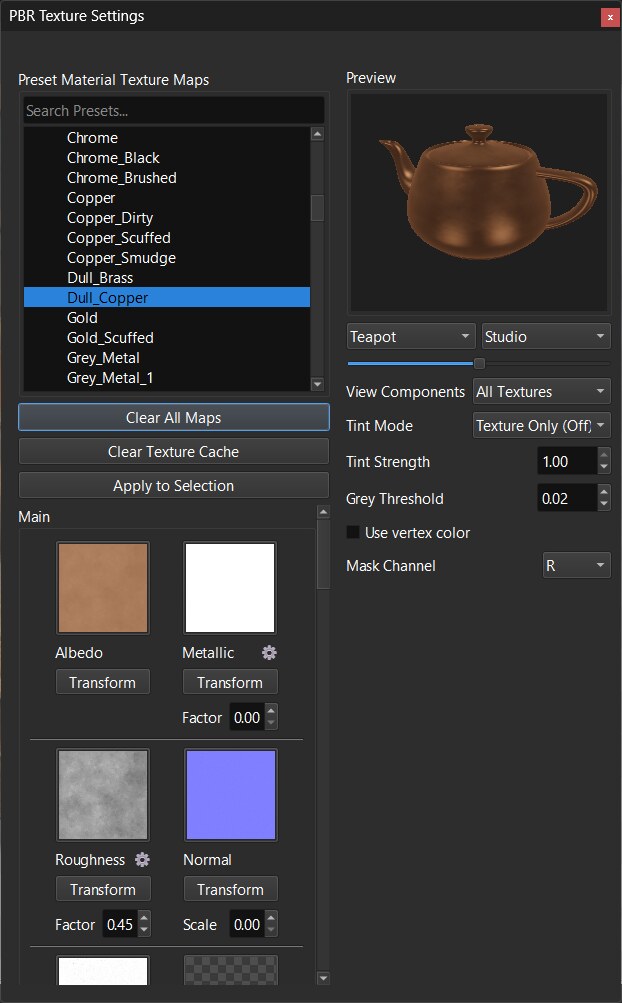
- Texture-Based PBR: Material properties driven by texture maps (albedo, normal, roughness, metallic, AO)
Material System & KHR Extensions
ModelViewer implements comprehensive support for Khronos KHR material extensions, enabling advanced material rendering capabilities:
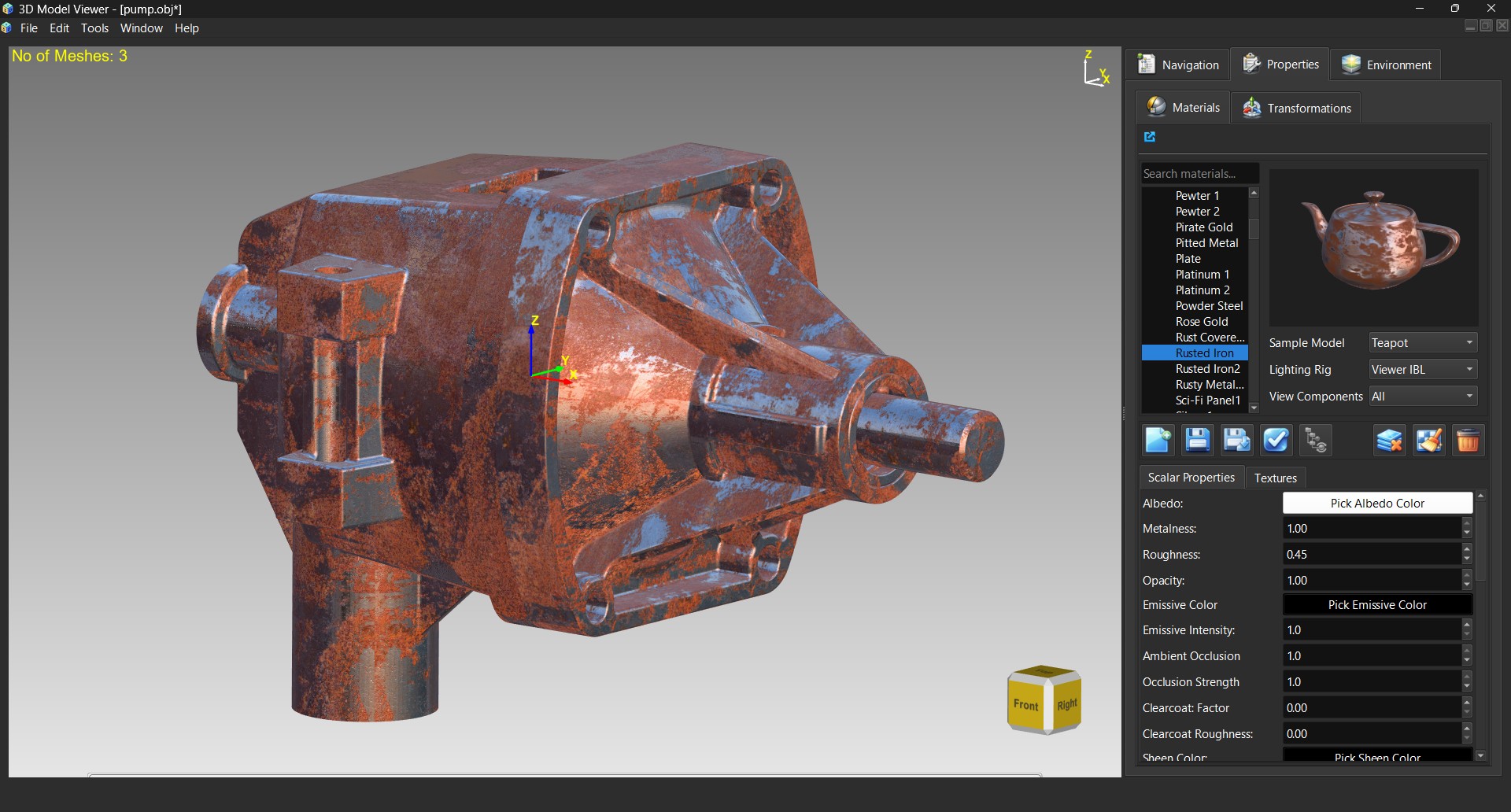
Supported KHR Material Extensions:
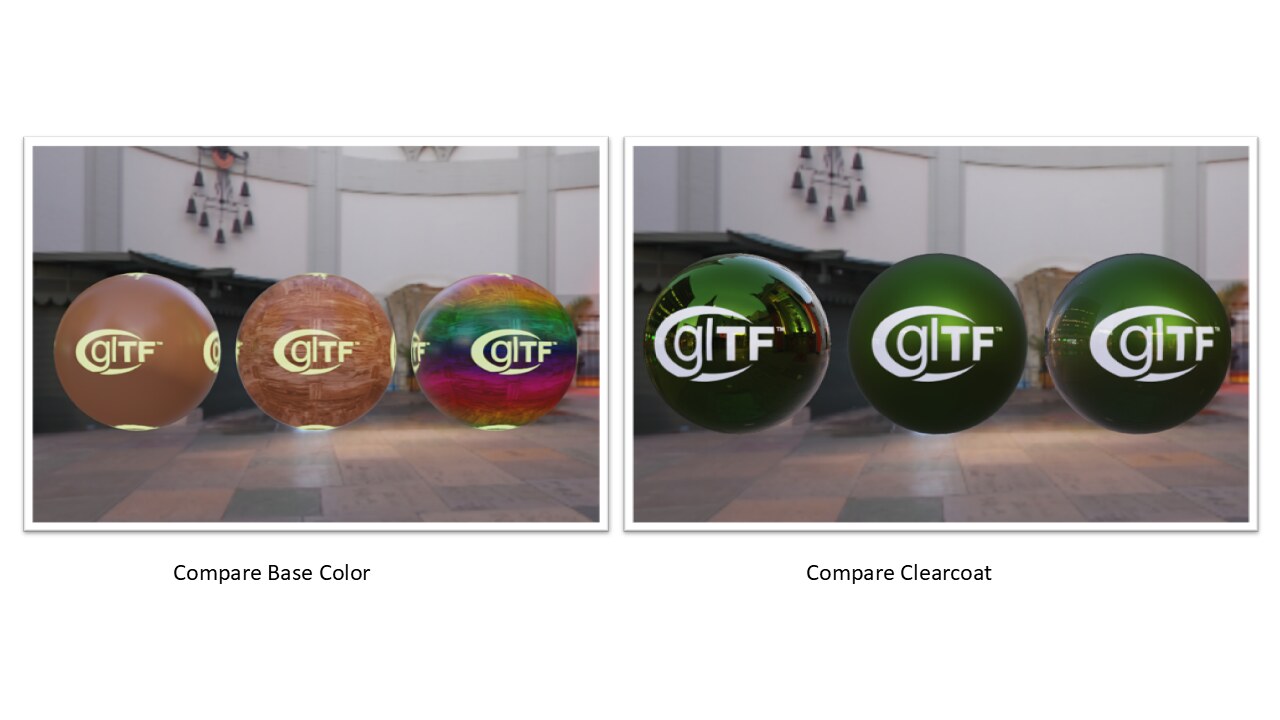
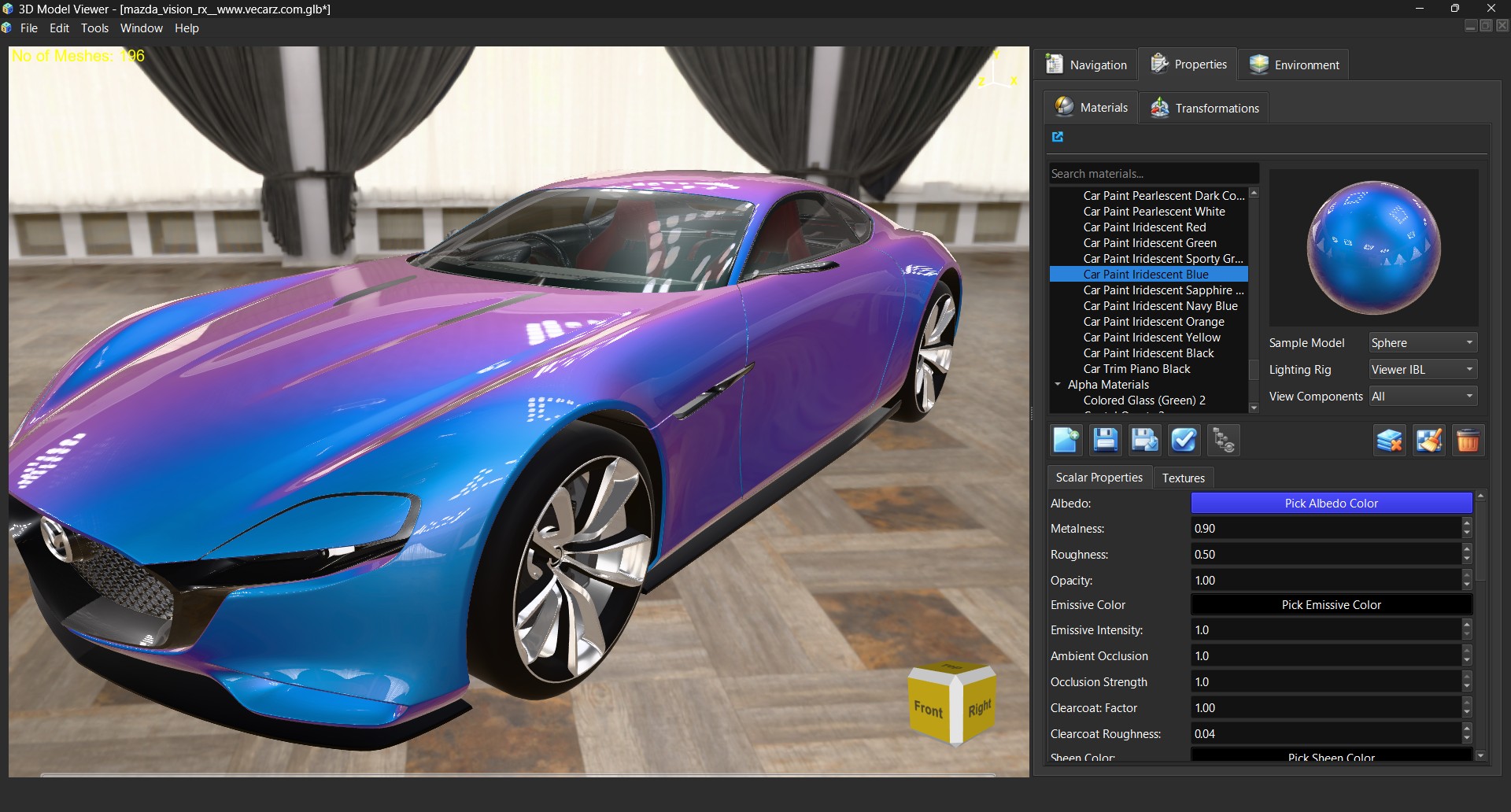
- KHR_materials_clearcoat: Multi-layer clearcoat materials with independent roughness control
- KHR_materials_sheen: Fabric-like materials with directional sheen highlights
- KHR_materials_transmission: Transparent materials with refraction and realistic light transmission
- KHR_materials_volume: Volumetric absorption for thick transparent materials with realistic light scattering
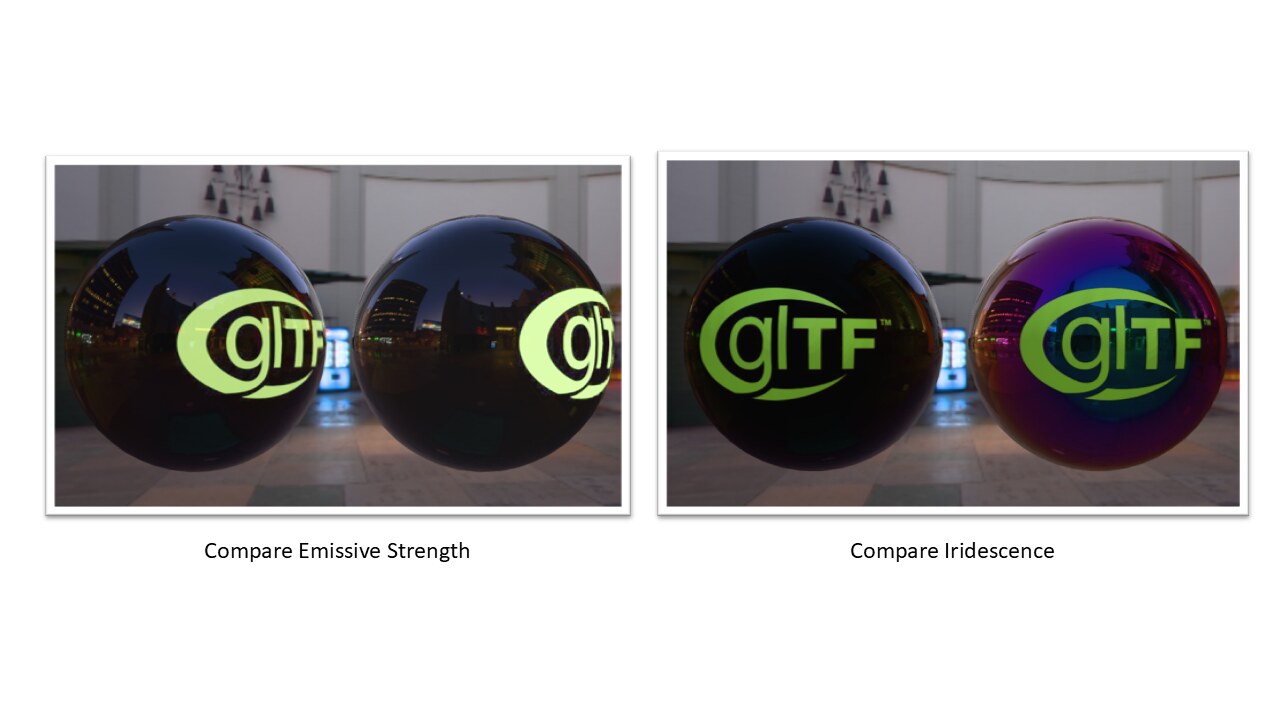
- KHR_materials_iridescence: Iridescent/interference-based color shifts (thin-film interference)
- KHR_materials_dispersion: Chromatic aberration with per-channel IOR for realistic prism effects
- KHR_materials_specular: Fine-grained specular intensity and color control
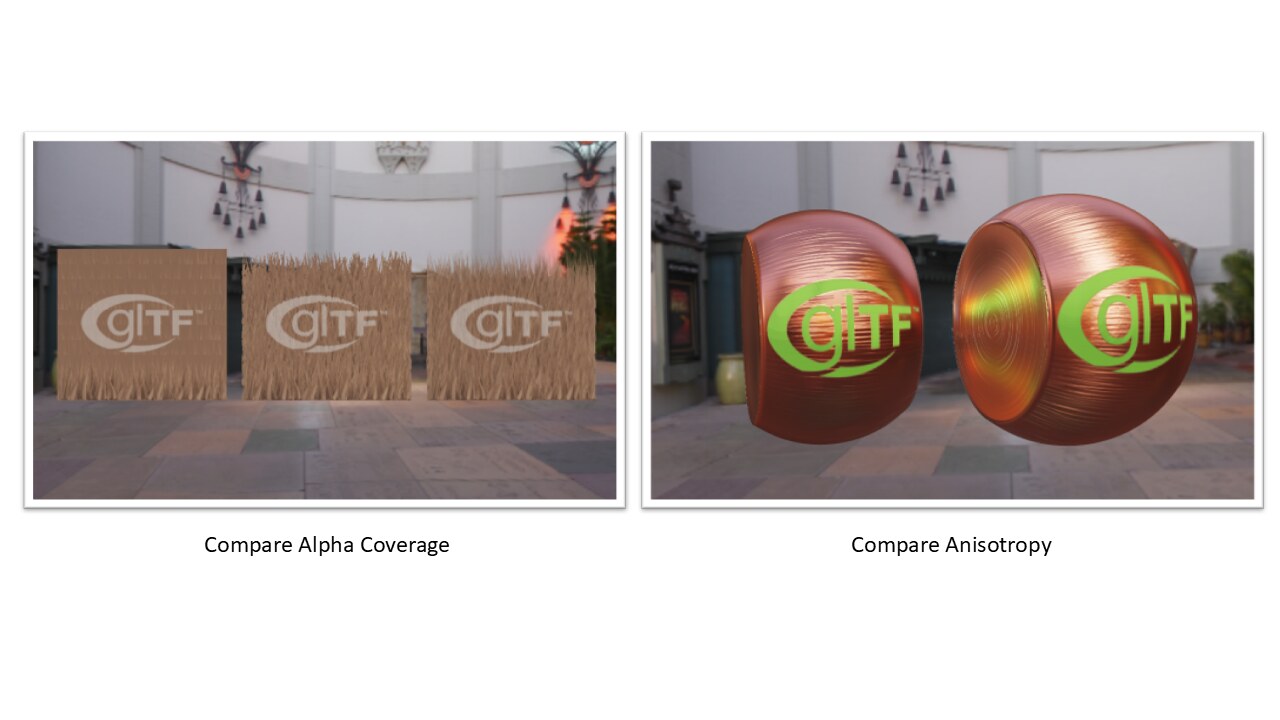
- KHR_materials_anisotropy: Directional surface reflection (brushed metals, fabrics)
- KHR_materials_diffuse_transmission: Subsurface scattering for translucent materials
- KHR_materials_pbrSpecularGlossiness: Legacy PBR specular/gloss workflow support
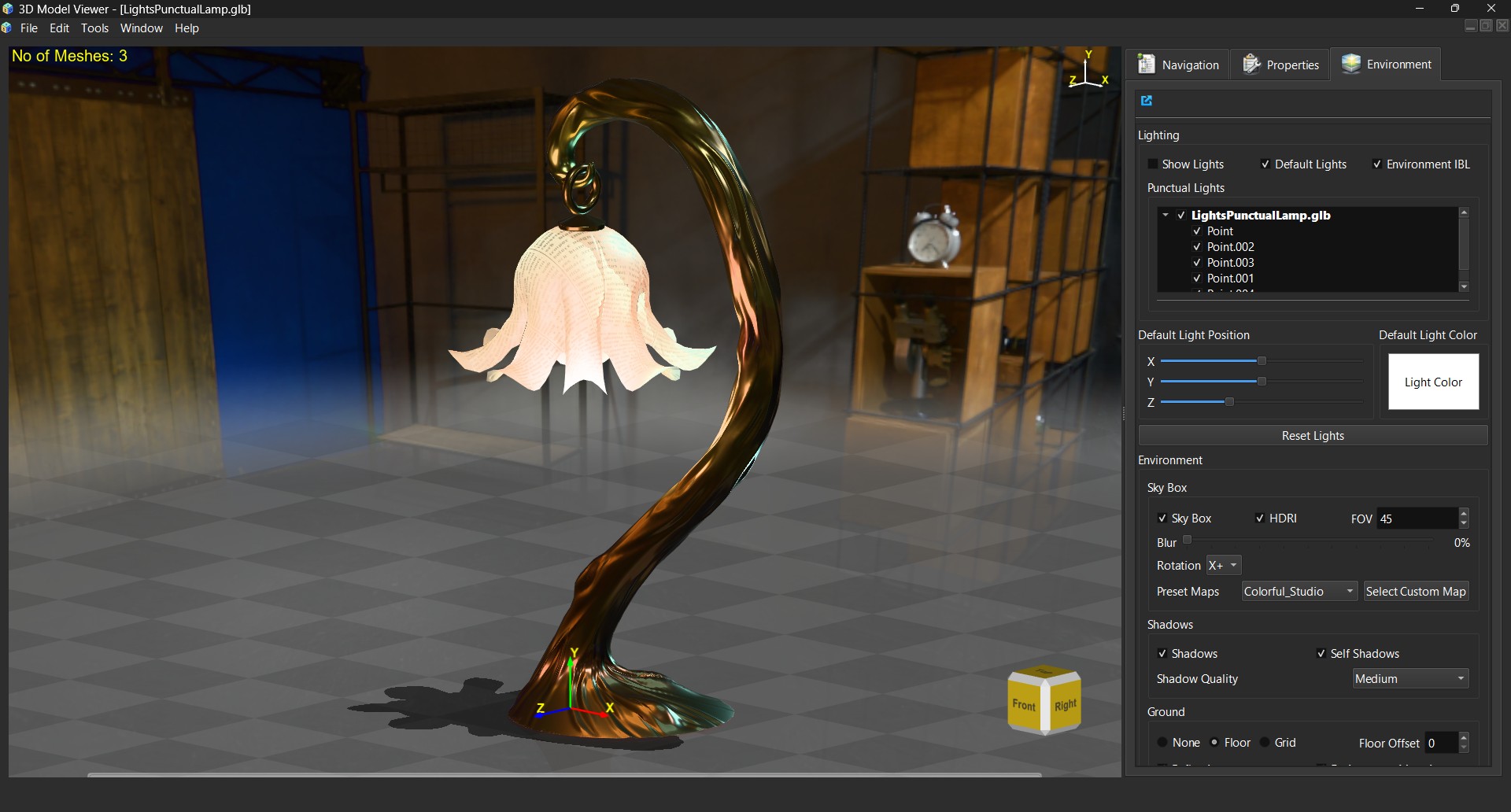
- KHR_lights_punctual: Multiple punctual light sources (directional, point, spot) with intensity control
Visual Demonstrations of KHR Material Extensions:
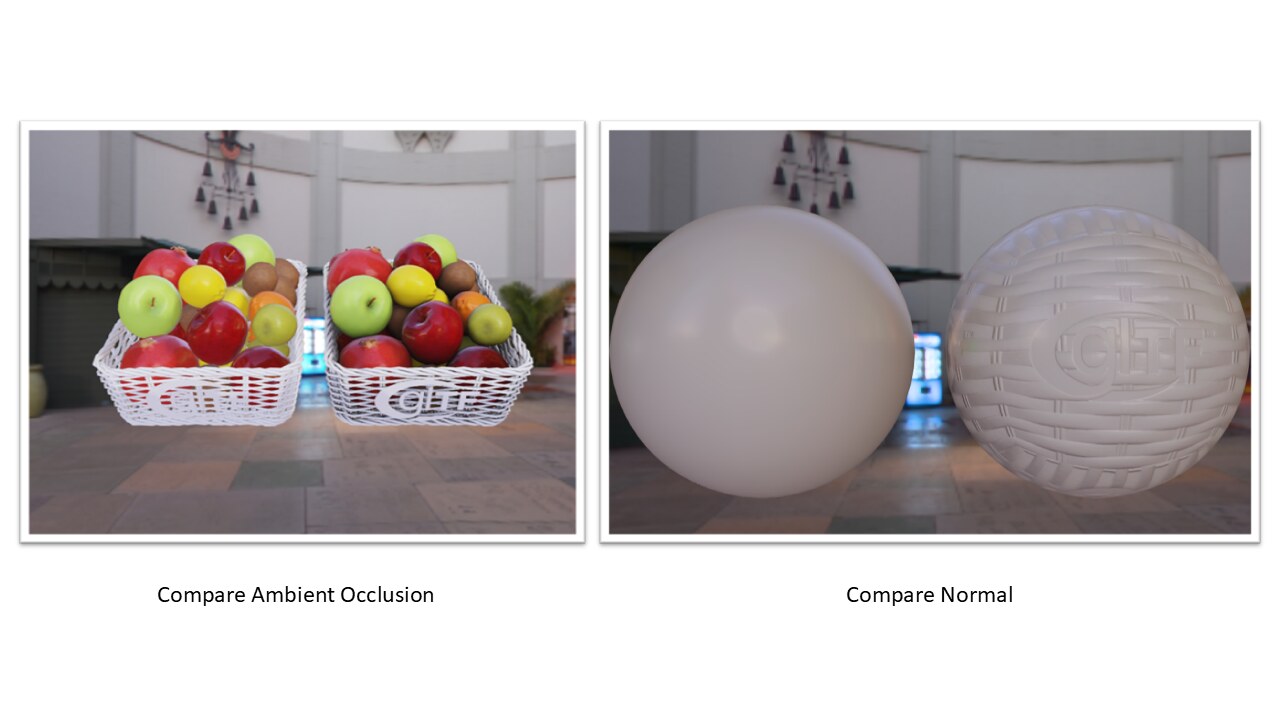
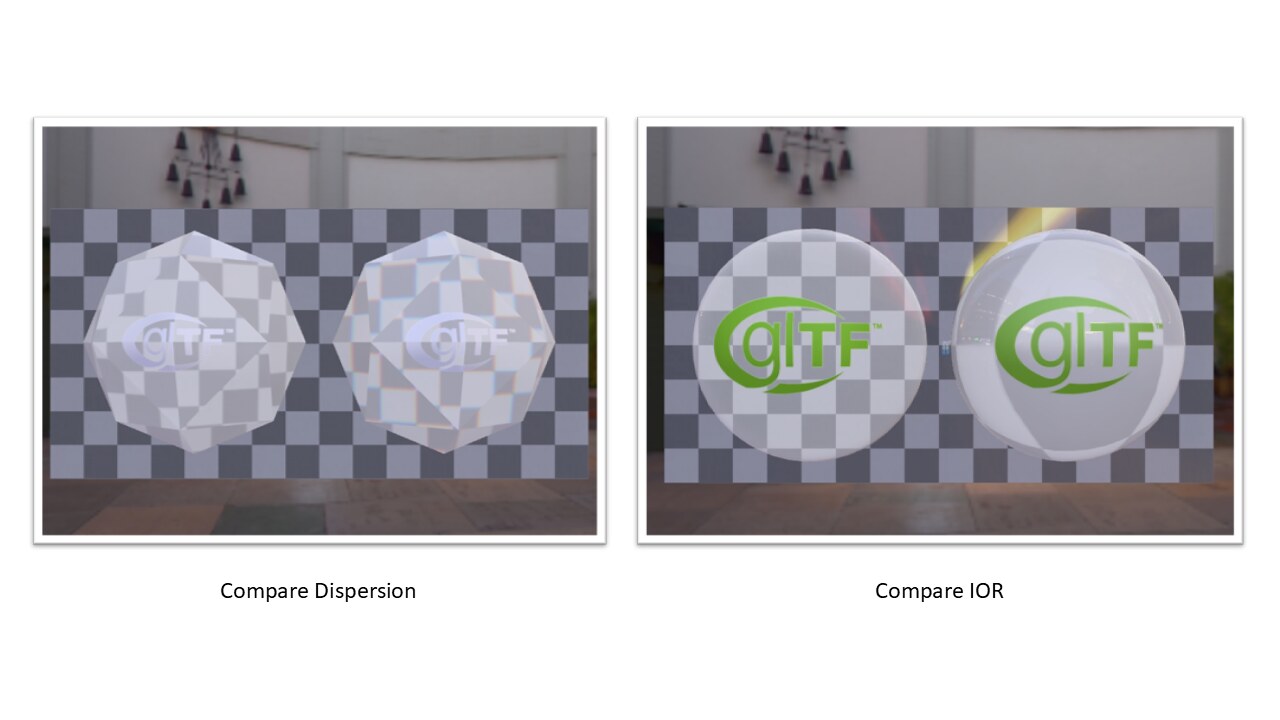
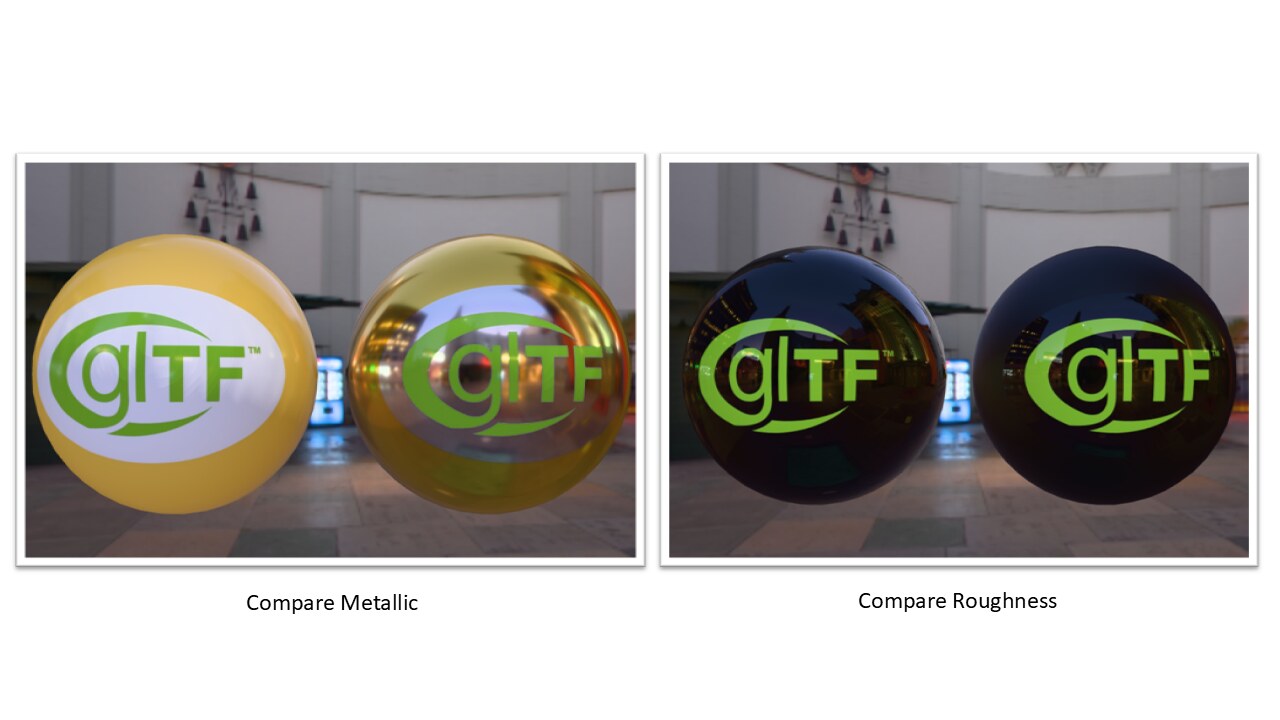
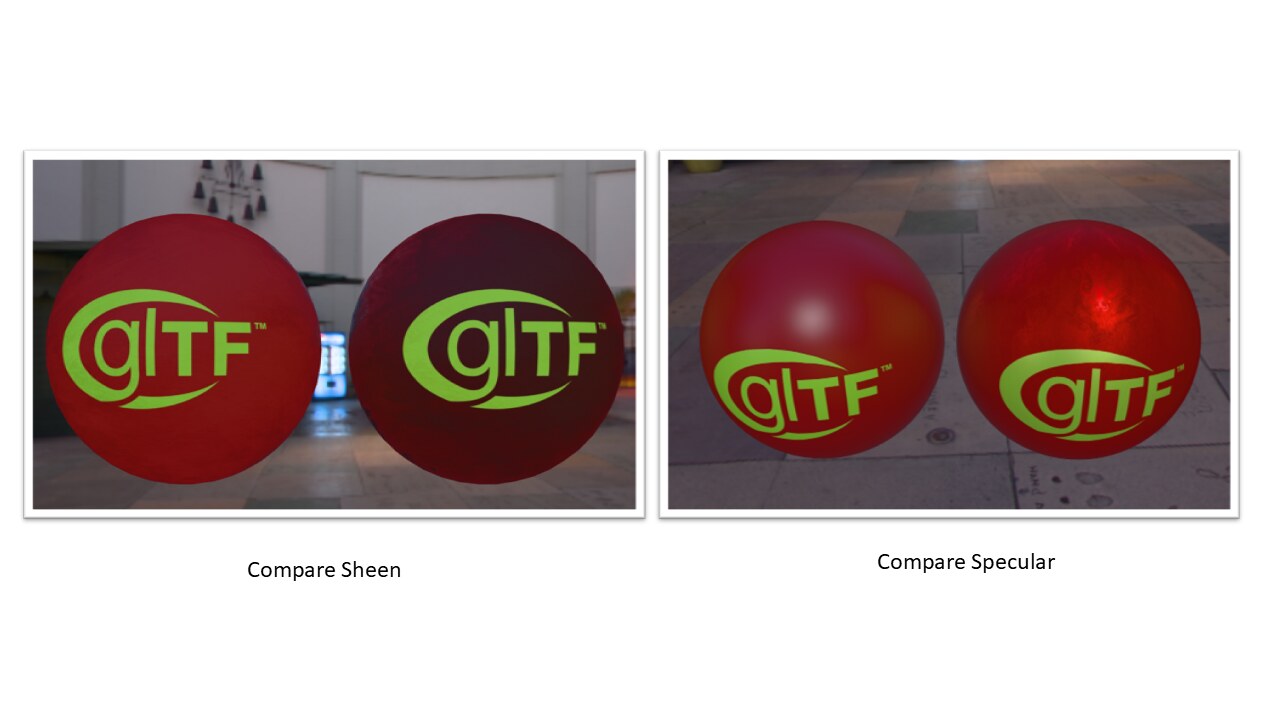
KHR Punctual Lights Support:
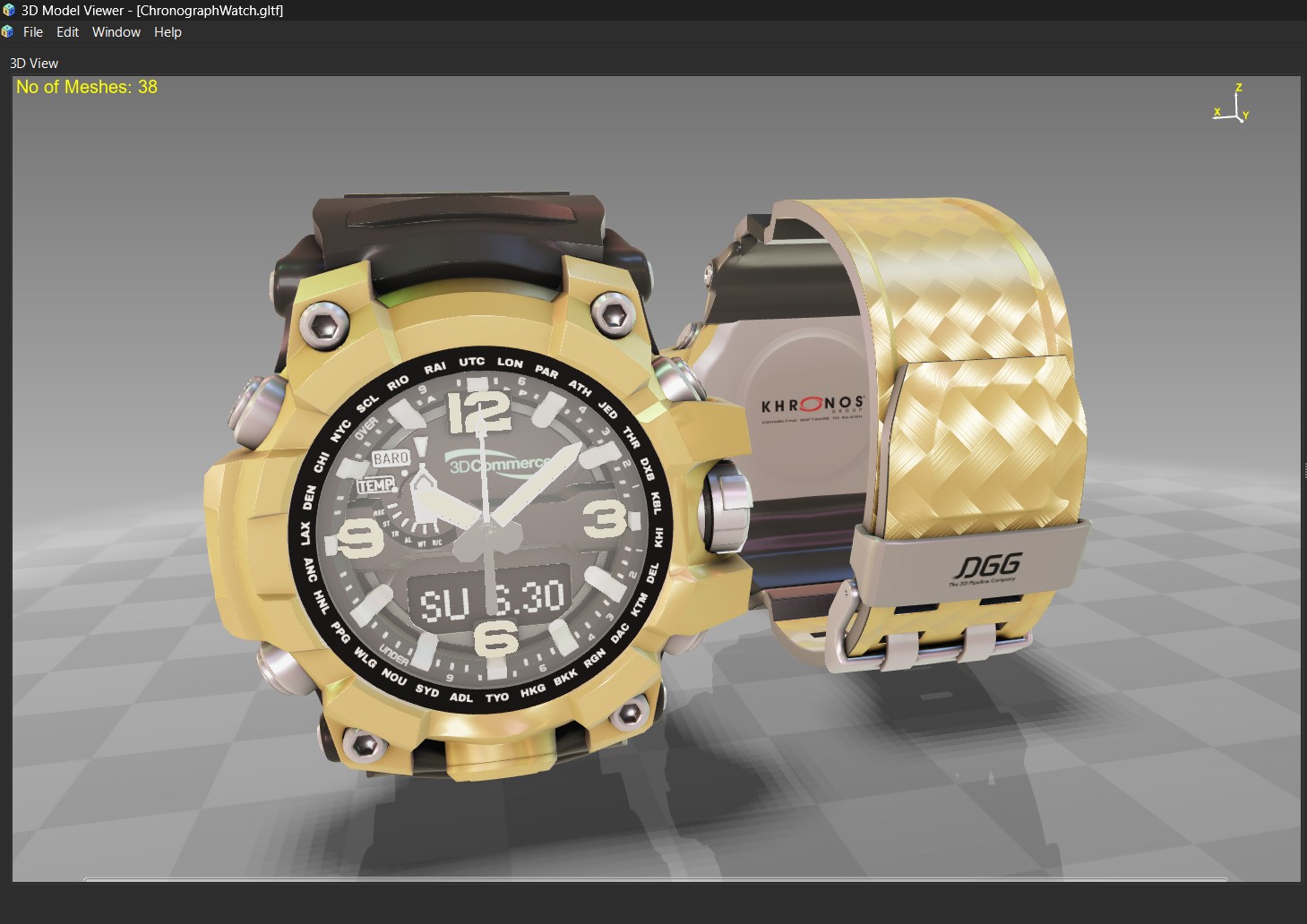
Texture Transform Support:
- KHR_texture_transform: Full implementation of UV coordinate transformations, including:
- UV scaling and rotation
- Offset (translation) around pivot points
- Multi-UV coordinate set support
- Per-texture transform customization
Exploded Views
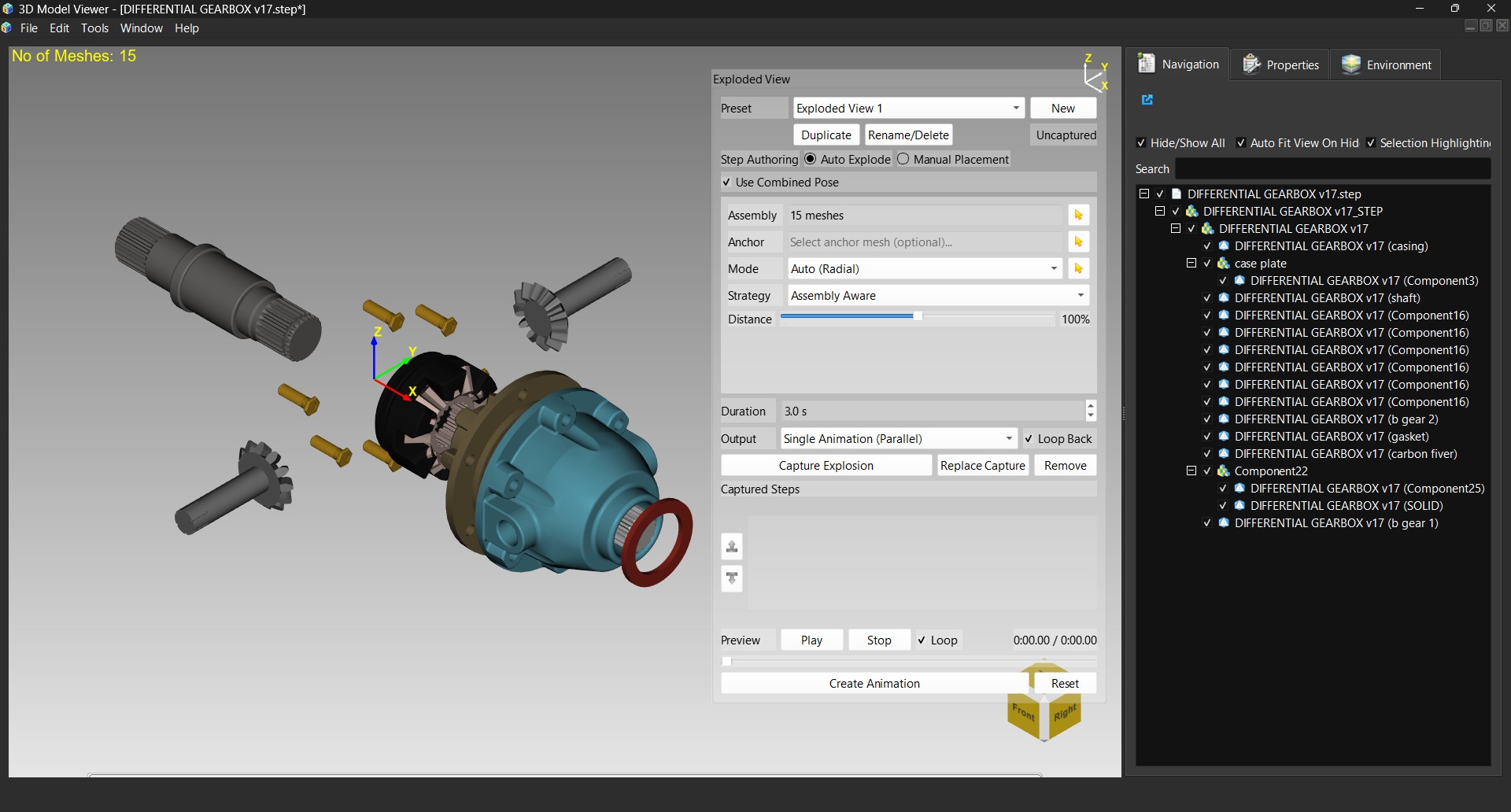
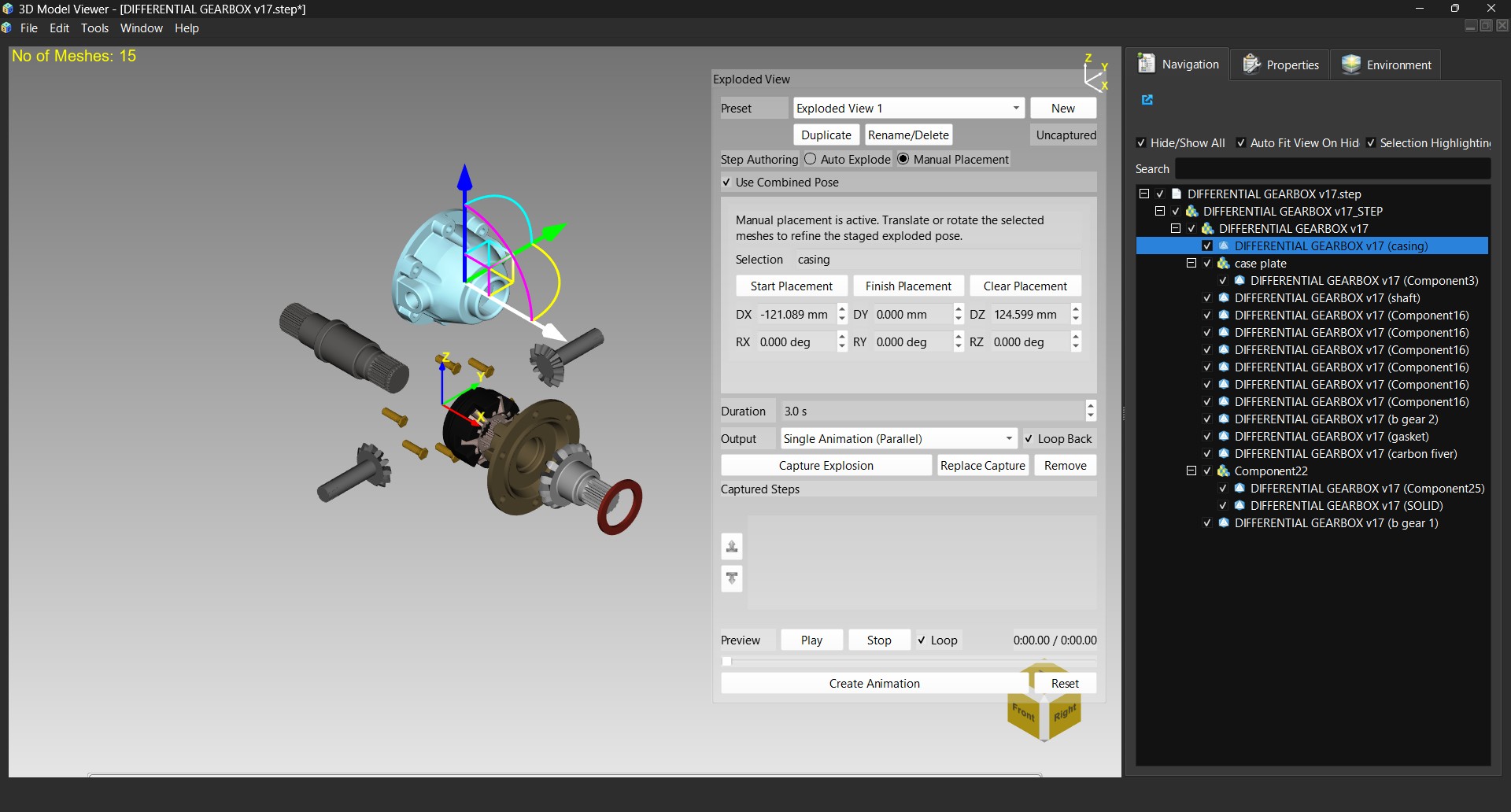
Automatic and manual assembly explosion for inspecting how a model's parts fit together:
- Automatic Modes: Radial, per-axis, or custom-vector explosion driven by assembly hierarchy
- Manual Gizmo Placement: Non-destructive staging of individual parts via the interactive transform gizmo
- Capture Steps & Sequences: Reorderable explosion steps with presets for repeatable assembly walkthroughs
- Animation Export: Parallel, sequential, or separate-clip export of the explosion sequence
Interactive Transform Gizmo & View Cube
- On-Screen Transform Gizmo: Translate/rotate/scale handles for direct manipulation, shared by exploded-view manual placement
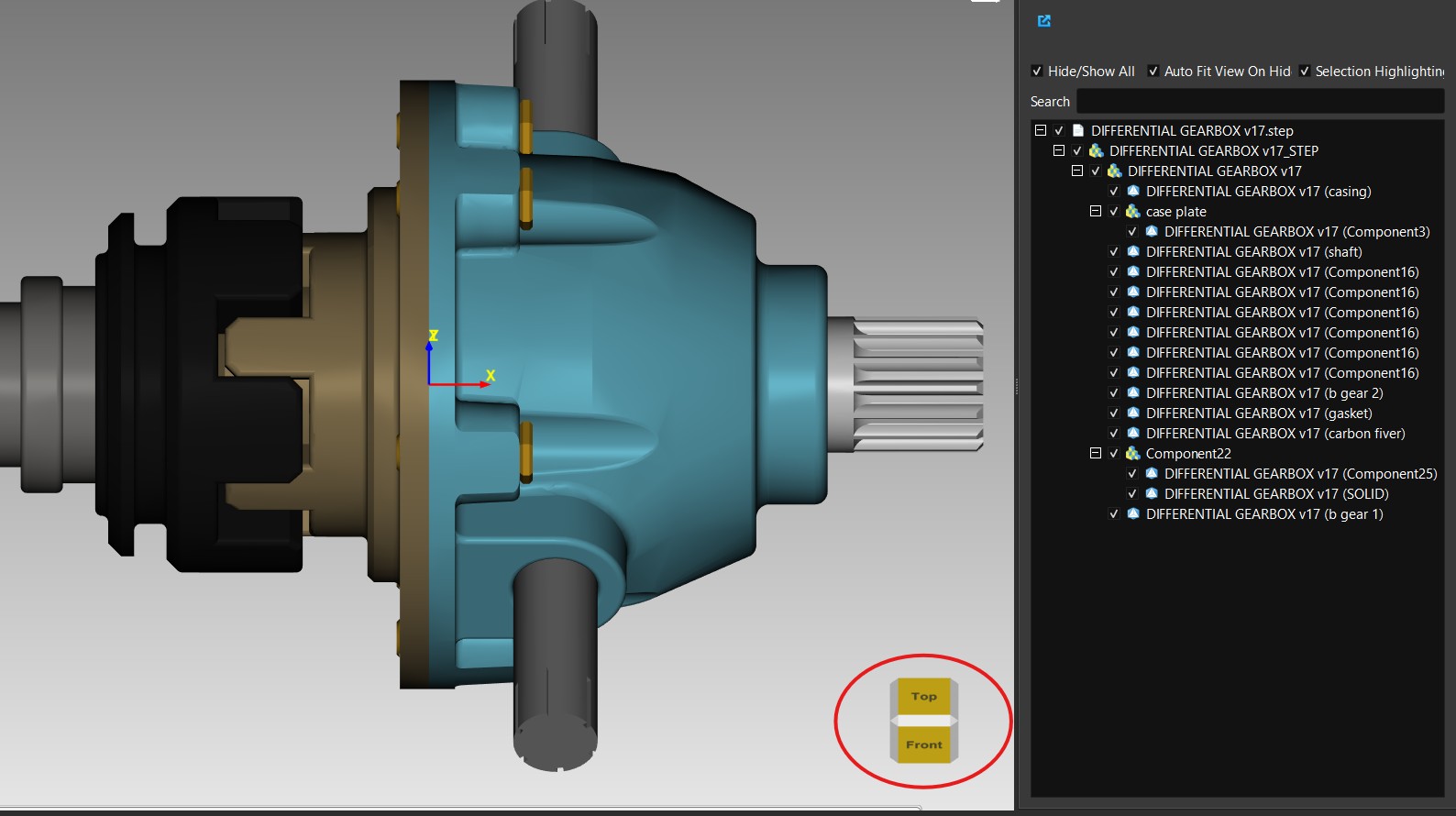
- Interactive View Cube: Click-to-orient navigation overlay with a switchable grid ground mode
Animation System
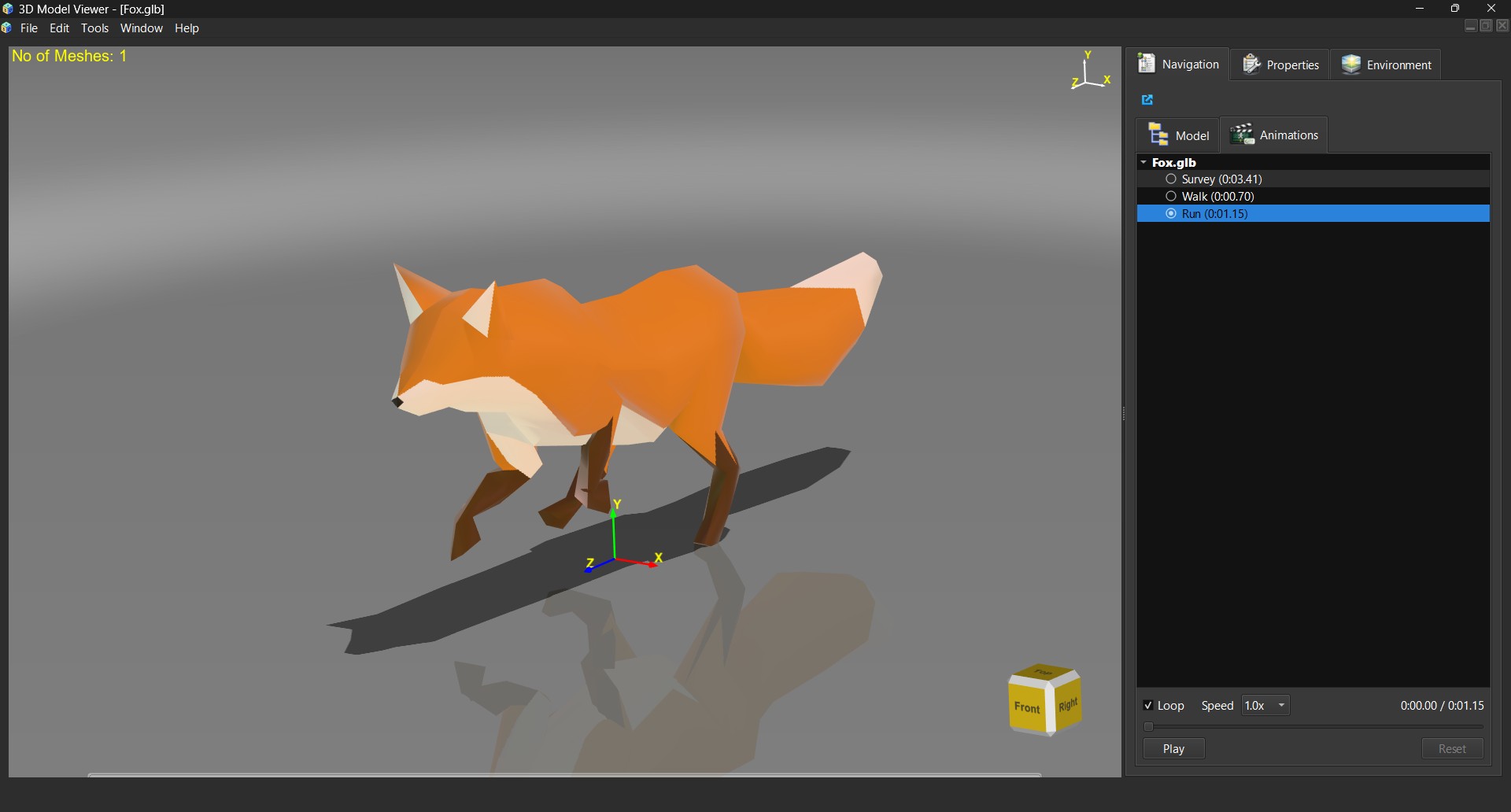
- Morph Target (Blend Shape) Animation: Full glTF import/export round-trip, played back through the Animations panel alongside skeletal clips
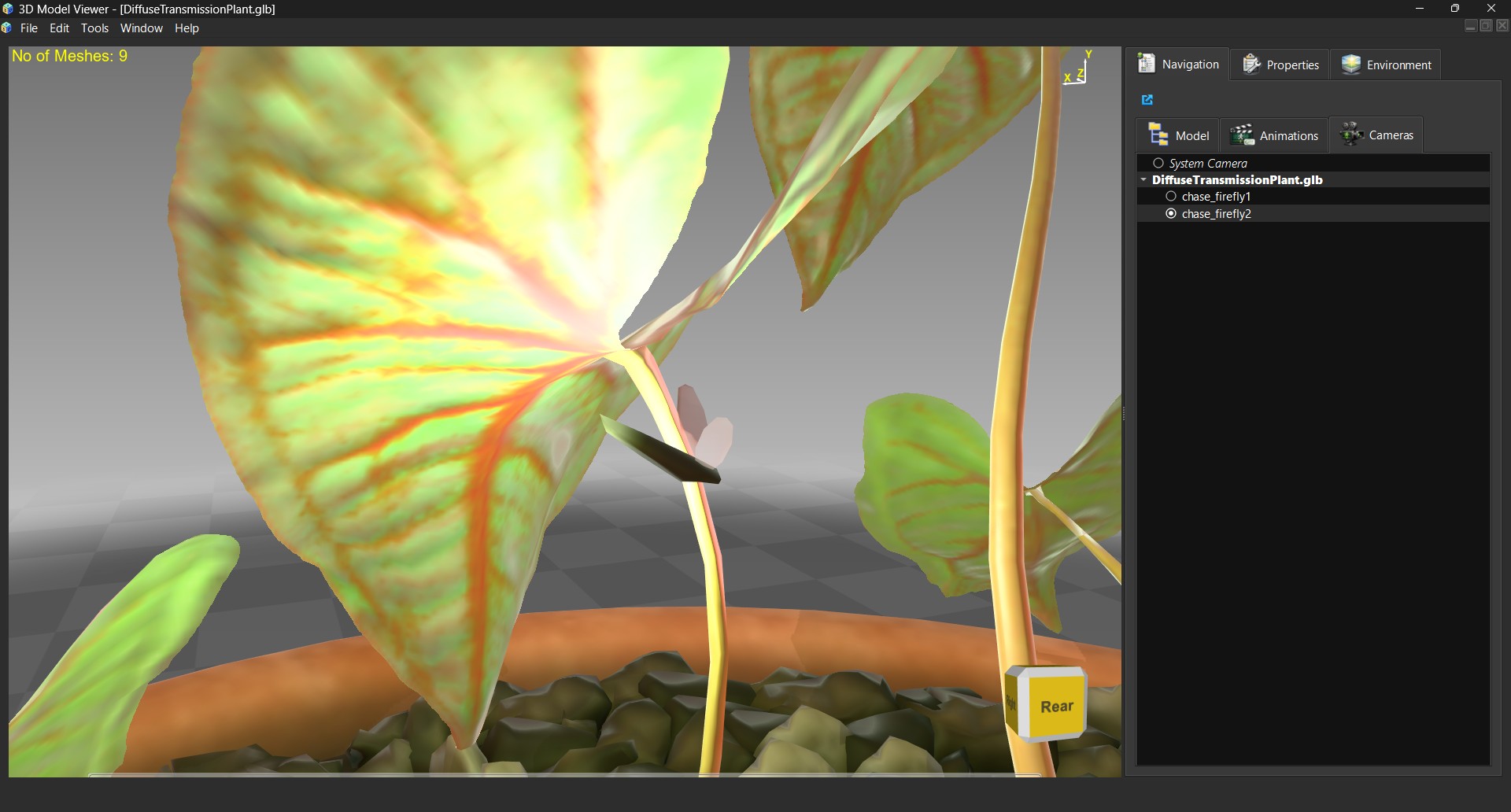
- glTF Camera Support: Import/export of animated camera tracking data
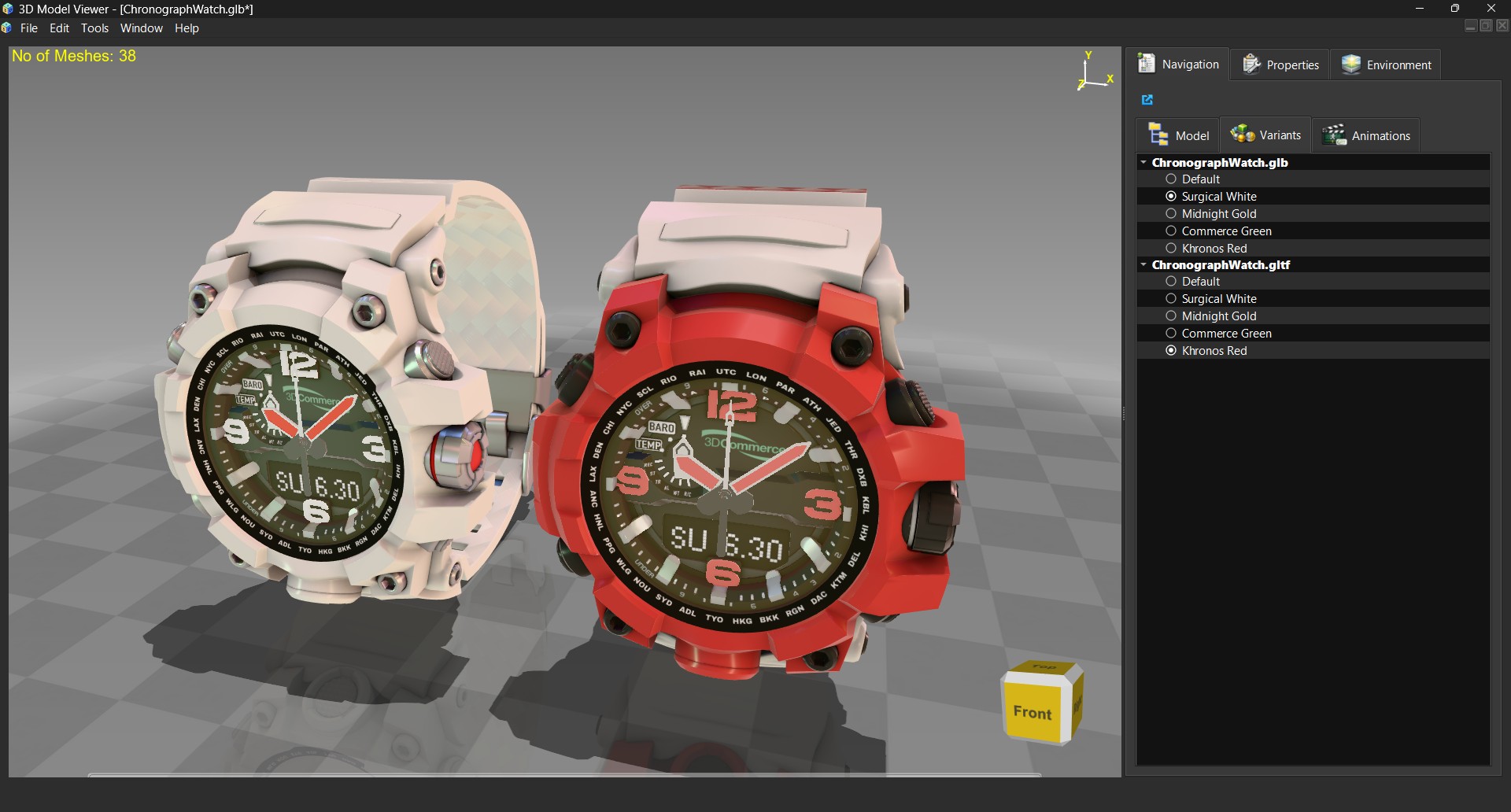
- Material Variants (KHR_materials_variants): Switchable material sets per scene with full export round-trip
glTF Camera Support:
Import and export of glTF cameras, including animated camera tracking data driven by the same Animations panel used for skeletal and morph-target clips.
Material Variants (KHR_materials_variants):
Switchable material sets per scene — swap an object's entire material assignment at runtime (e.g. color/finish options for a product model), with full round-trip preservation on glTF/GLB export.
Scene Graph & Unified Material Workflow
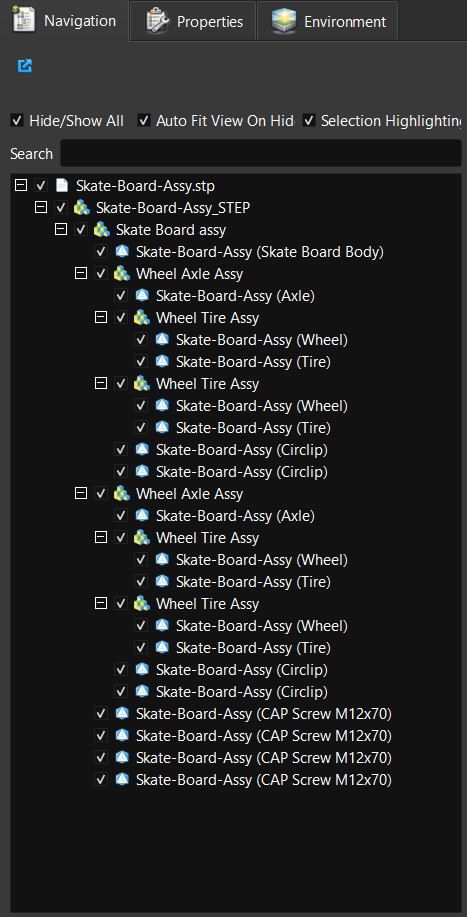
- Scene-Graph-Aware Tree Widget: Hierarchical object navigation replacing the flat object list, with assembly-correct multi-select propagation and a detachable navigation panel
- Threaded/Progressive Loading: GPU-safe finalization keeps the UI responsive while large scenes stream in
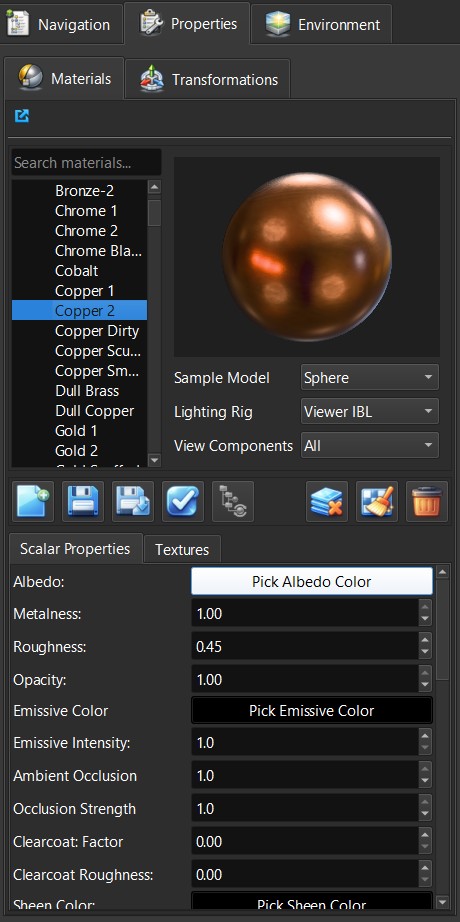
- Unified Material Panel: Single editor merging material and texture editing, UUID-based material keys, unsaved-change tracking, and a user material library
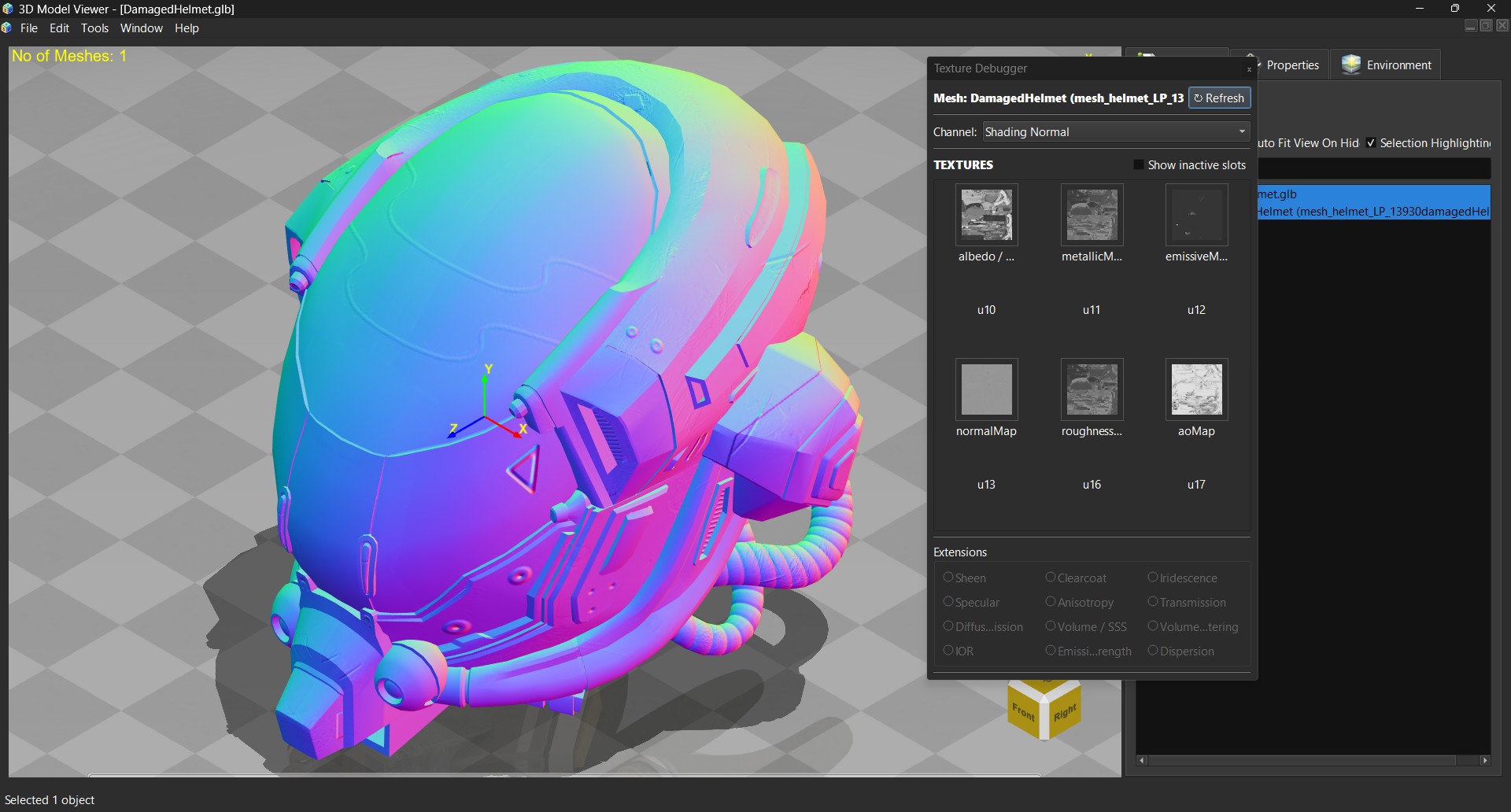
- Texture Debugger Panel: Live texture/extension overrides with Khronos-aligned channel isolation for geometry and texture channel inspection
Texture Debugger Panel:
Live texture and extension overrides with Khronos-aligned channel isolation, letting you inspect individual geometry and texture channels (albedo, normal, roughness, metallic, AO, and more) in isolation.
Material Editor & Library System
- Interactive Material Editor Panel: Real-time material property adjustment with live preview
- Material Library: Tree-based organization and management of materials
- Material Deduplication: Intelligent identification and consolidation of duplicate materials
- Name-Based Material Matching: Preservation of original material names across the import/export pipeline
Texture Management & Advanced Features
Texture Processing:
- Automatic Embedding: Textures embedded directly into GLB exports for self-contained models
- Smart Texture Caching: Three-level lookup system (exact match → same image/different sampler → disk load) with sampler-aware cache keys
- Texture Format Support:
- KTX2 and Basis Universal compressed textures
- WebP format with automatic plugin deployment
- Standard formats (PNG, JPG, TGA, BMP)
- Texture Transform: Per-texture UV transformation with full KHR_texture_transform support
- Multi-Channel Support: Independent handling of multiple texture sets and UV coordinates
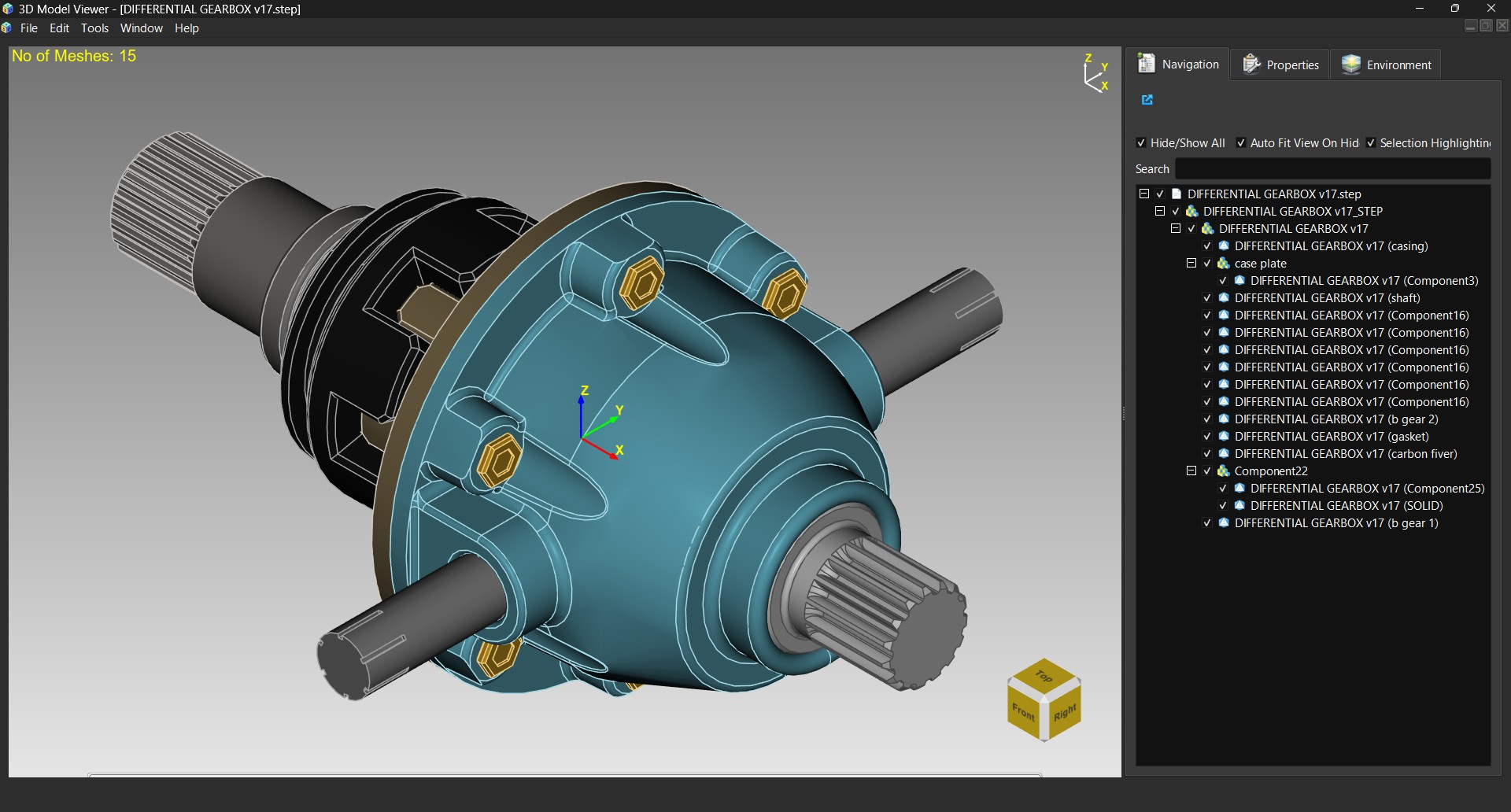
CAD Support & Assembly Visualization
OpenCASCADE Integration:
- Native STEP Support: Full parametric feature preservation
- IGES Files: Industry-standard CAD format support
- BRep Format: OpenCASCADE native boundary representation
- True B-Rep Edge Wireframe: Extracted OCC edges (not silhouette approximations) for STEP/IGES/BREP, plus feature-edge wireframe modes for OBJ/glTF meshes, with dedicated Mesh Edges and Shaded with Edges display modes
- Color Inheritance: Smart color extraction from XCAF color attributes with intelligent inheritance chains
- Property Preservation: Metadata and naming preserved across the import pipeline
Assimp Integration:
- Multi-Format Support: OBJ, FBX, COLLADA, Blend, VRML, and 30+ other formats
- Robust Loading: Handles malformed files gracefully with validation
- Mesh Post-Processing: Automatic tangent/bitangent computation with proper transformation math
- Negative Scale Handling: Correct detection and processing of flipped geometry via determinant-based matrix analysis
Session Storage (MVF)
ModelViewer's native .mvf file is a session format, not just a geometry export — it captures the full working state of a scene so you can pick up exactly where you left off:
- glTF-Spec-Based: MVF3 is a glTF-spec-compatible JSON document plus a binary geometry chunk, replacing the legacy binary
QDataStreamformat - Full Scene State: Materials, lights, cameras, exploded-view steps/presets, morph target and skeletal animation state, and node transforms are all persisted
- Progressive Load: Large scenes stream in with GPU-safe finalization rather than blocking the UI
Export Capabilities
- GLB Export Pipeline: Complete round-trip export with:
- Material preservation and deduplication
- Texture embedding with optimized packing
- KHR extension metadata preservation
- Correct handling of negative scales and transforms
- Sampler value preservation across materials
- Texture Embedding: Automatic embedding before export for portable model files
- Format-Agnostic Export: Support for exporting to multiple target formats
Section/Capping Tools
Advanced Sectioning:
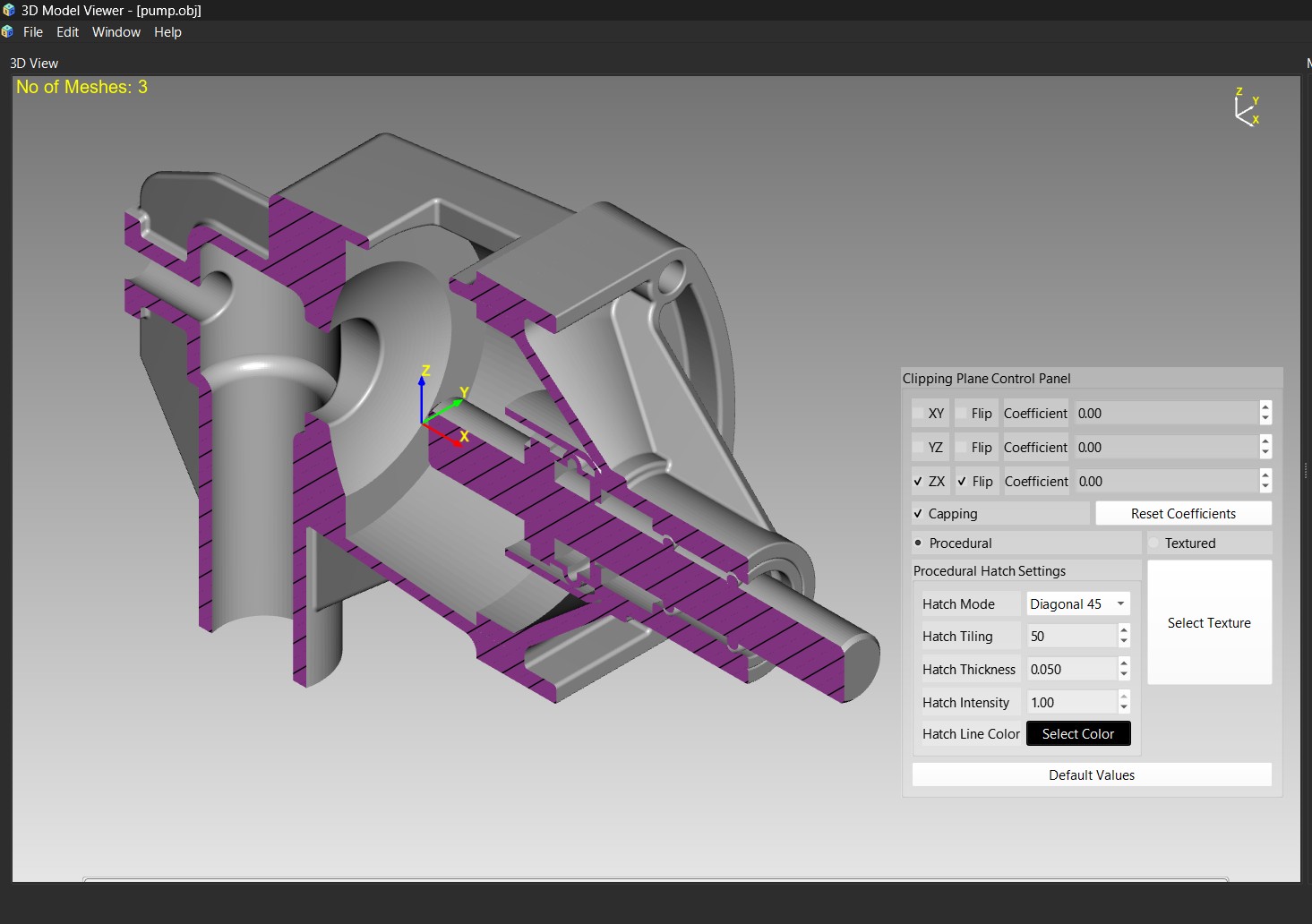
- Single Plane Section: Cut models with arbitrary clipping planes
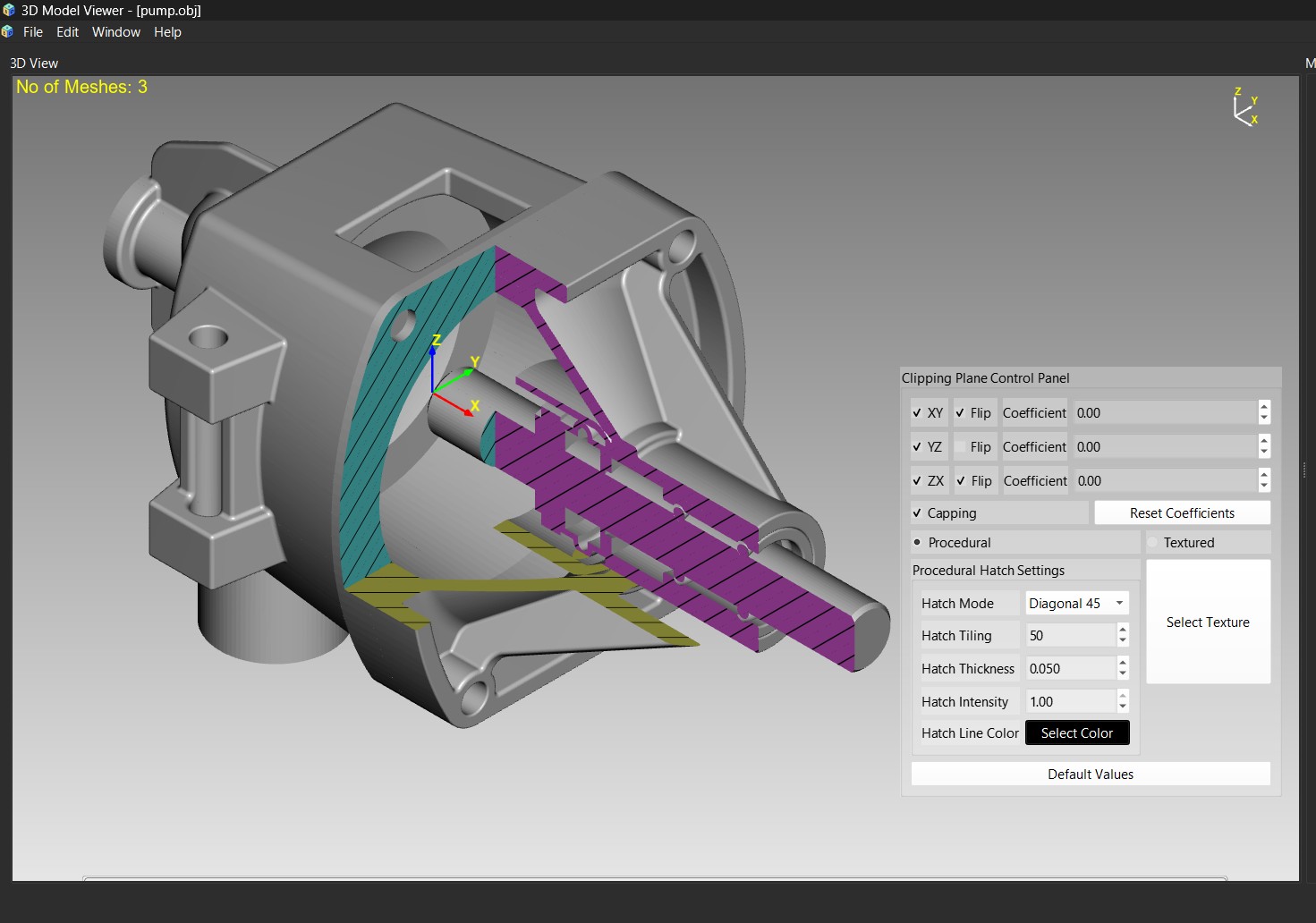
- Multiple Section Views: Simultaneous display of multiple cross-sections with automatic capping
- Smart Capping: Automatic generation of capping geometry to close intersected surfaces
- Interactive Adjustment: Real-time plane manipulation for dynamic sectioning
Multi-View Projection System
- Multiple Synchronized Views: Side-by-side or grid-based orthographic projections
- Standard Projections: Front, back, top, bottom, left, right, isometric views
- Anonometric Projections: Isometric, Dimetric, and Trimetric
- Orthographic and Perspective Projections
Realistic PBR Rendering
Realistic Automotive Paint Rendering (Clearcoat & Iridescence):
User Interface & Tools
Detachable Panels:
- Texture Mapping Panel: Interactive UV transformation and texture coordinate visualization
- Material Editor Panel: Comprehensive material property adjustment interface
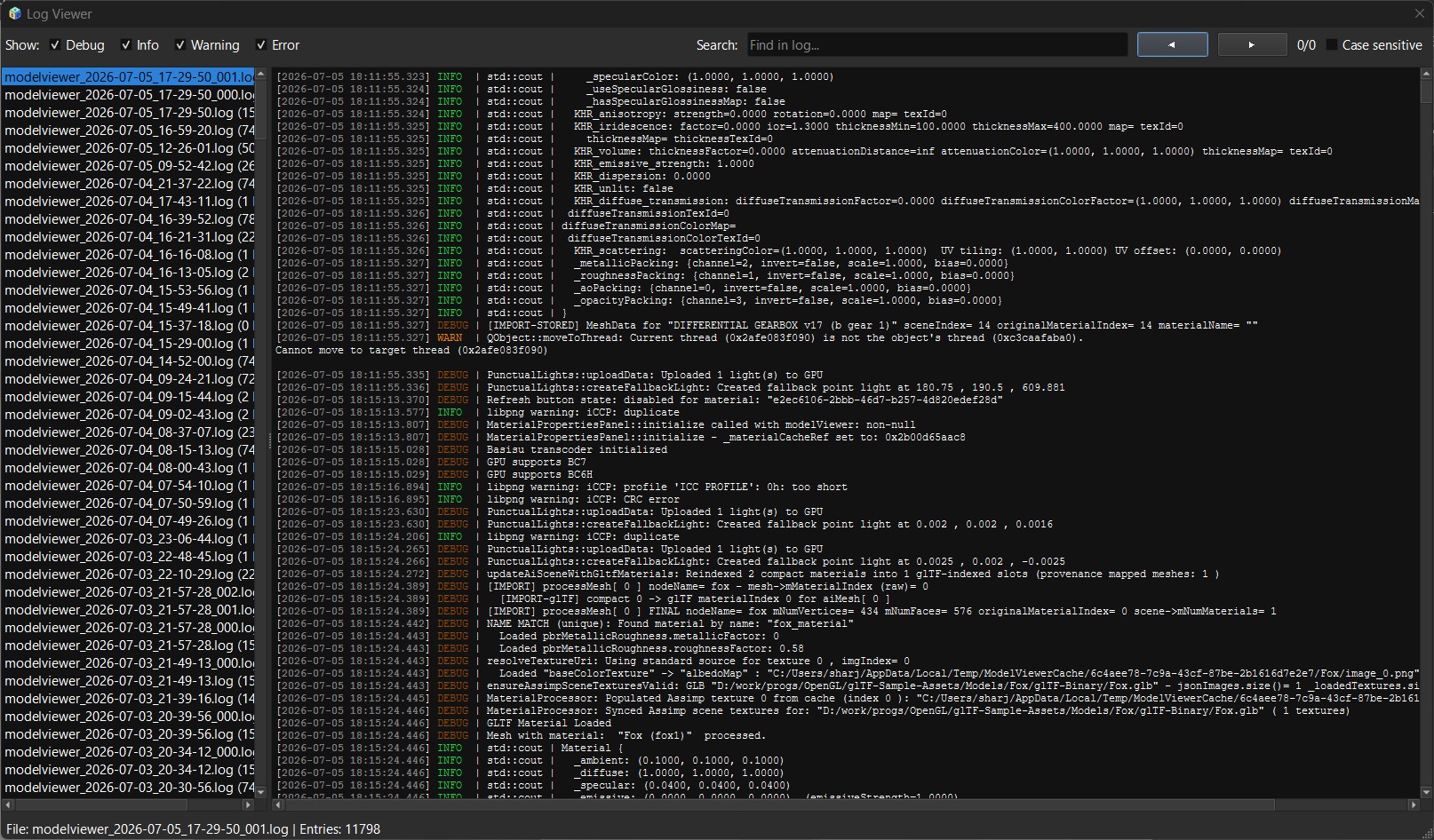
- Log Viewer: Real-time application logging with syntax highlighting, search, and filtering by log level
- Material Library Panel: Tree-based material organization and management
UI Features:
- Qt6 MDI Interface: Multiple document/model windows with tabbed organization
- Scrollable Toolbar: Customizable tool access with context-sensitive actions
- Theme Manager: Light and dark theme support with customizable color schemes
- Internationalization Support: English, Spanish, French, Italian, and German
Logging System:
A detachable Log Viewer panel provides real-time application logging with syntax highlighting, full-text search, and filtering by log level (info, warning, error, debug), useful for diagnosing import/export issues or tracking rendering pipeline behavior during a session.
Settings Dialog:
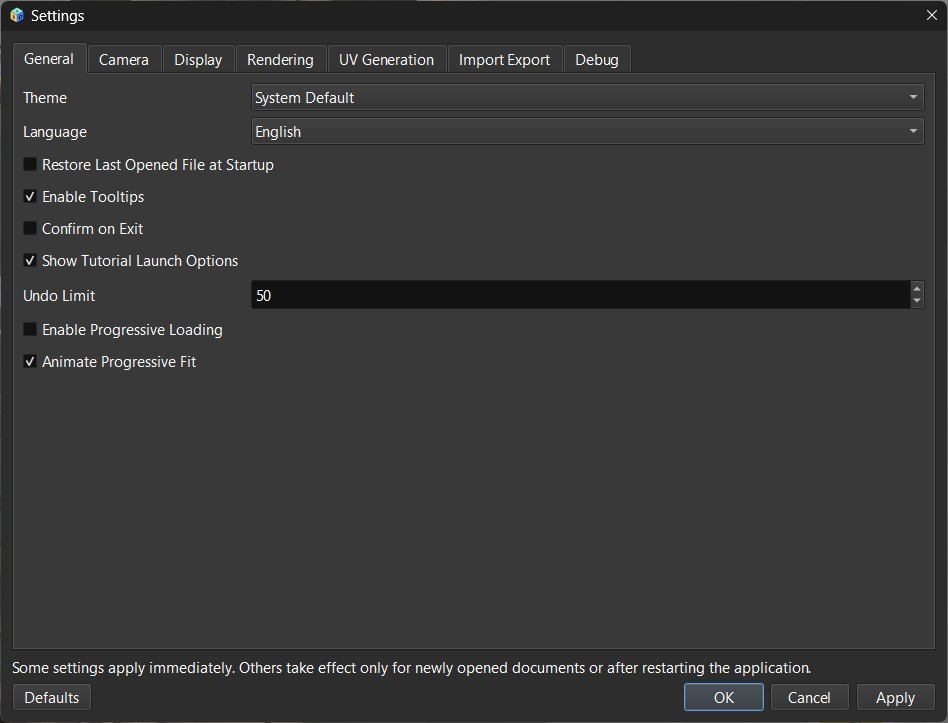
Fully wired end-to-end across every tab — General, Camera, Display, Rendering, Materials, Import/Export, and Debug — with an "Animate Progressive Fit" option among the newer additions.
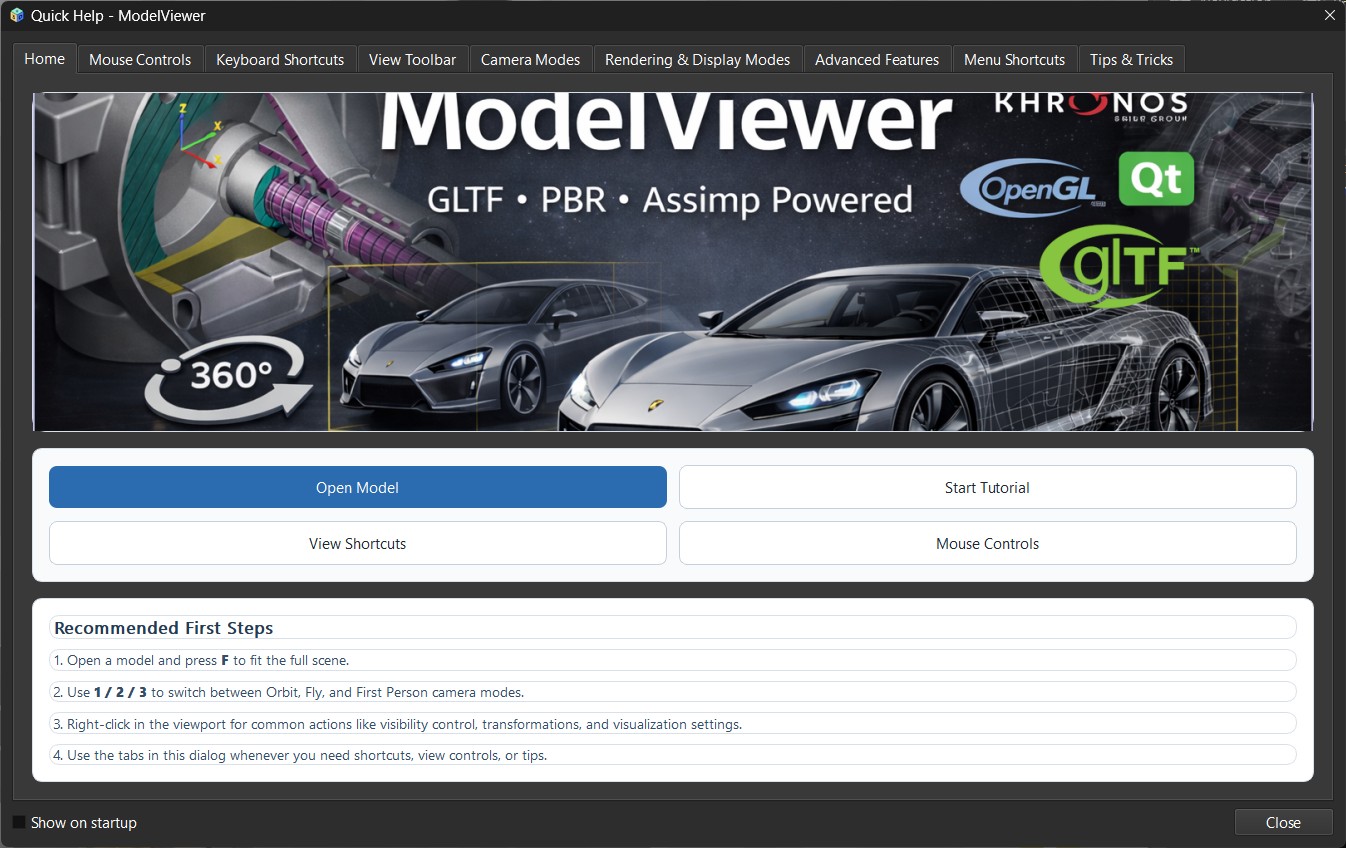
Quick Help:
An in-app reference dialog covering keyboard shortcuts and menu locations, kept in sync with the current UI (corrected for stale shortcuts and menu paths as part of the 2026.7.0 release).
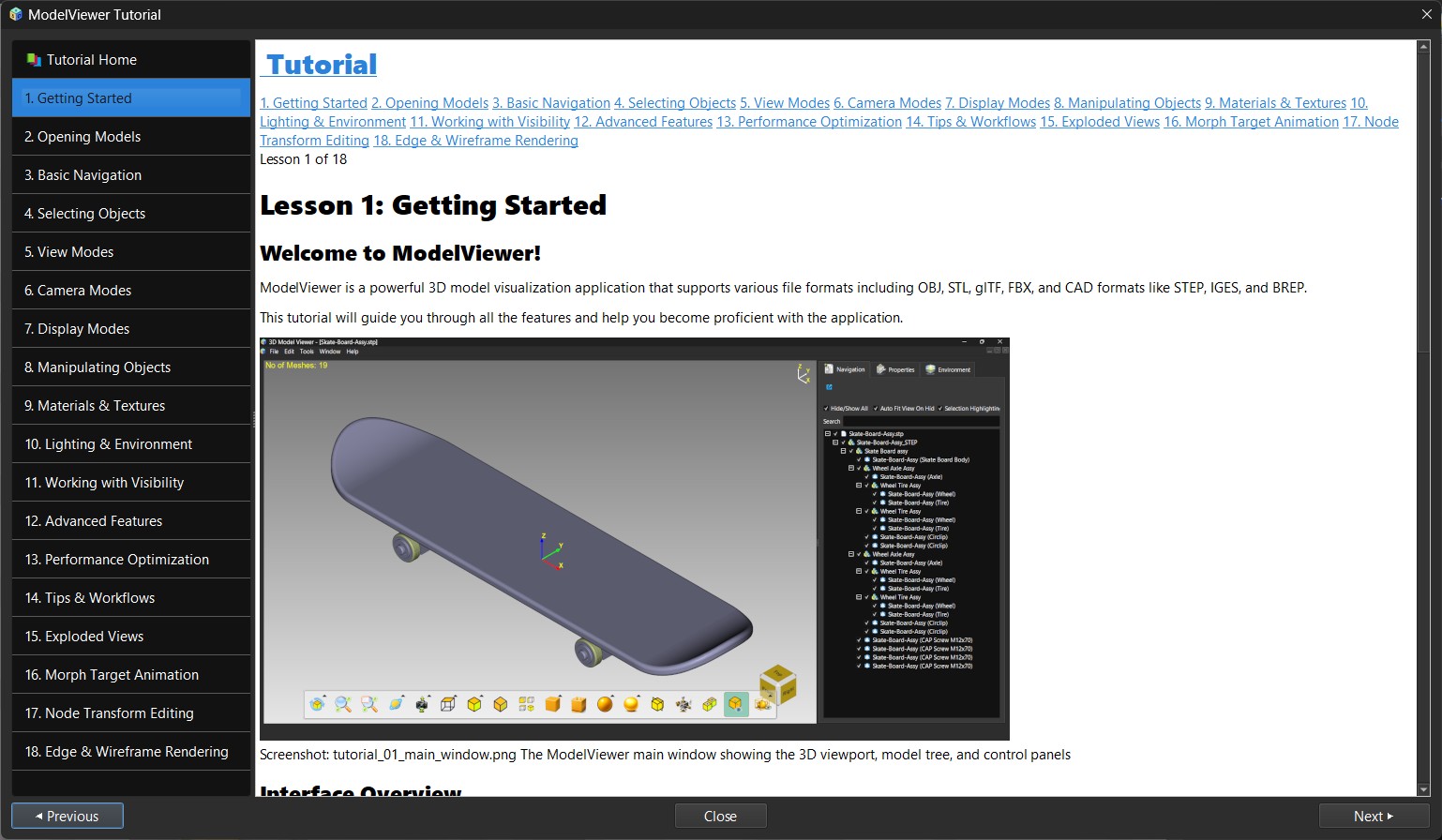
Tutorial System:
An interactive guided introduction for new users, covering 18 lessons from basic navigation through exploded views, morph target animation, node transform editing, and edge/wireframe rendering.
Advanced Camera & Navigation
- Orbital Camera: Smooth mouse-based model rotation and inspection
- Pan & Zoom: Intuitive view navigation with proper zoom mechanics
- Preset Views: Quick access to standard orthographic projections
- Light Manipulation: Independent light repositioning with delta-based targeting
- Perspective Correction: Proper NDC Z-clamping for accurate behavior at high zoom levels
- Dual-Camera Z-up/Y-up System: Native Z-up CAD coordinate convention alongside Y-up support, with camera/shading math aligned to the Khronos glTF reference viewer
Undo/Redo System
- Full Command History: Complete undo/redo stack for all editing operations
- Live Preview Updates: Synchronized UI panel updates on undo/redo actions
- Material Operations: Support for complex material editing operations with full history
- Tree-Driven Copy/Cut/Paste: Scene-graph-aware copy/cut/paste with deferred-removal cut semantics, plus undo/redo for mesh rename, deselection, and metadata deletion
Building the Code
Prerequisites
- CMake: Version 3.15 or above
- Qt: Version 6.8 or above
- Assimp: Version 5.0.1
- GLM: Mathematics library
- Freetype: Version 2.10.1
- OpenCASCADE: Version 7.9
- Mesh Optimizer:Mesh optimization library
- Basis Universal™: To support the intermediate .KTX2 file formats
- vcpkg: For Windows
Linux Build
Ubuntu 26.04 LTS / Kubuntu 26.04 (the platform of the .deb): the supported route, which builds the same package as the releases page.
git clone --branch dev https://github.com/sharjith/ModelViewer-Qt.git ~/dev/ModelViewer-Qt
cd ~/dev/ModelViewer-Qt
git submodule update --init --recursive

# one-time setup (needs sudo): apt packages, CGAL 6.2+ from cgal.org, vcpkg for the two bundled ports
bash packaging/linux/setup-wsl-build-env.sh

cmake --preset linux_system_release
cmake --build out/build/linux_system_release --parallel

cd out/build/linux_system_release && cpack -G DEB
sudo apt install ./modelviewer_2026.11.0_amd64.deb
modelviewer
In an existing clone, update it first with git fetch origin && git checkout dev && git pull. CGAL comes from cgal.org because Ubuntu's own
libcgal-dev is 6.1 and too old (the configure step stops with a message if it finds an older one). The script is named after WSL but works on any Ubuntu 26.04
system. Build the whole project, not just --target ModelViewer, or cpack cannot find the icon. For NVIDIA graphics install the driver first
(sudo ubuntu-drivers install).
Other Linux builds go through vcpkg (manifest mode) for dependency management, using the bundled CMake presets.
- Install base system packages (compiler, X11/OpenGL headers, etc. — see the
.github/workflows/build.ymlLinux job for the exact apt list). - Clone the repository (recursively, to pull in the vcpkg submodule):
git clone --recursive https://github.com/sharjith/ModelViewer-Qt.git cd ModelViewer-Qt - Configure with the vcpkg toolchain using the bundled CMake preset:
This triggers a vcpkg install of all manifest dependencies (Qt6, Assimp, OpenCASCADE, and others) on first run, which can take a while from scratch.cmake --preset ninja_release_vcpkg - Build the project:
cmake --build --preset ninja_release_vcpkg_build - Run the application:
./out/build/ninja_release_vcpkg/ModelViewer
Windows Build
- Install vcpkg if not already installed. Follow the instructions here.
- Use vcpkg to install the required dependencies:
vcpkg install qt6-base assimp glm freetype:x64-windows opencascade:x64-windows - Clone the repository:
git clone https://github.com/sharjith/ModelViewer-Qt.git cd ModelViewer-Qt - Create a build directory and configure the project using CMake with the vcpkg toolchain:
Replacemkdir build cd build cmake .. -DCMAKE_TOOLCHAIN_FILE=[path_to_vcpkg]/scripts/buildsystems/vcpkg.cmake -DCMAKE_BUILD_TYPE=Release[path_to_vcpkg]with your vcpkg installation path. - Build the project:
cmake --build . --config Release - Run the application:
.\Release\ModelViewer.exe
macOS Build
- Install dependencies via Homebrew:
brew install cmake qt@6 assimp glm freetype open-cascade - Clone and build:
git clone https://github.com/sharjith/ModelViewer-Qt.git
cd ModelViewer-Qt
mkdir build
cd build
cmake .. -DCMAKE_BUILD_TYPE=Release -DCMAKE_PREFIX_PATH=$(brew --prefix qt@6)
make -j$(sysctl -n hw.ncpu)
./ModelViewer.app/Contents/MacOS/ModelViewer
Troubleshooting
Common Build Issues
- Ensure your system has a compatible GPU with OpenGL 4.6+ support
- On Linux, verify GPU drivers are properly installed (glxinfo can help diagnose)
- Verify Qt6 is properly installed:
qmake --versionshould show Qt 6.8+ - On Linux, ensure
qt6-base-devis installed with OpenGL support - On Windows, verify vcpkg Qt6 installation:
vcpkg list | grep qt6
- Ensure Assimp 5.0.1 or later is installed
- Incompatible versions may cause linking errors or runtime crashes
- Rebuild Assimp from source if the package manager version is outdated
- On Linux: Verify installation with
pkg-config --cflags --libs OpenCASCADE - On Windows: Ensure vcpkg installation completed successfully
- Check CMake output for exact library names not found
Performance Tips
- Use Release builds (
-DCMAKE_BUILD_TYPE=Release) for best performance - Reduce shadow map resolution if rendering is slow
- Disable unused KHR extensions in settings if not needed
- Use LOD variants for very large assemblies or point clouds
- Prefilter maps are computed on load; large environment maps may take time
Dependency Compatibility
- Qt: 6.8 or later
- Assimp: 5.0.1 or later (5.2+ recommended)
- OpenCASCADE: 7.9 or later
- CMake: 3.16 or later (3.24+ recommended)
- GLM: 0.9.9 or later
- OpenCASCADE < 7.8 may have compatibility issues
- Qt versions older than 6.6 lack some OpenGL optimizations
- MSVC 2019 or later recommended for Windows builds
Development & Contribution
ModelViewer is built with modern C++ (C++17) and uses CMake as its build system. The project includes:
- Comprehensive Shader System: Custom GLSL shader pipeline with hot-reloading support
- Qt6 Integration: Complete integration with Qt6 for UI, threading, and context management
- Assimp Post-Processing: Custom mesh processing for improved compatibility and quality
- OpenGL 4.6: Modern graphics pipeline with compute shader support
License
ModelViewer is licensed under the GNU General Public License v3.0 (GPL-3.0).
This program is free software: you can redistribute it and/or modify it under the terms of the GNU General Public License as published by the Free Software Foundation, either version 3 of the License, or (at your option) any later version.
This program is distributed in the hope that it will be useful, but WITHOUT ANY WARRANTY; without even the implied warranty of MERCHANTABILITY or FITNESS FOR A PARTICULAR PURPOSE. See the GNU General Public License for more details.
You should have received a copy of the GNU General Public License along with this program. If not, see https://www.gnu.org/licenses/.
For the full license text, see the LICENSE file in the repository root.
Acknowledgments
- Assimp - Asset import library
- OpenCASCADE - CAD geometry kernel
- Qt - GUI framework
- GLM - Mathematics library
- Khronos - glTF and KHR extension specifications
- CGAL - Computational Geometry Algorithms Library (mesh repair, boolean union, shrink wrap, subdivision, analysis)
- Embree and Intel Open Image Denoise - ray tracing and denoising; NVIDIA OptiX - optional GPU ray tracing
- NetCDF, HDF5 and CGNS - simulation result readers
- Eigen, Boost, GMP and MPFR - numerics used by CGAL
- meshoptimizer, Basis Universal, OpenEXR, zstd and FreeType
Models shown in the screenshots
Sample models from the Khronos glTF Sample Assets. Where a model has two layers of licensing, both are listed.
- "DiffuseTransmissionPlant": Eric Chadwick for materials and animation, © 2024 Darmstadt Graphics Group GmbH, CC BY 4.0; original asset by Rico Cilliers, CC0.
- "ChronographWatch": Eric Chadwick for model and textures, © 2025 Darmstadt Graphics Group GmbH, CC BY 4.0; based on a model by graphiccompressor, CC BY.
- "LightsPunctualLamp": created by Teresa González Viegas and DGG, © 2021 Darmstadt Graphics Group GmbH, CC BY 4.0.
- Candle holder with the glTF and KHR logos ("GlassHurricaneCandleHolder"): Eric Chadwick, © 2021 Wayfair, LLC, CC BY 4.0.
- "Fox": model by PixelMannen (CC0); rigging and animation by tomkranis (CC BY 4.0); conversion to glTF by @AsoboStudio and @scurest (CC BY 4.0).
- "SheenWoodLeatherSofa": original by Fran Calvente (CC0); 2024 improvements by Eric Chadwick, © Darmstadt Graphics Group GmbH, CC BY 4.0.
- "Differential gear box" by Mir Mostafa Tahmid, from the GrabCAD Community Library (June 2023).
- "Mazda Vision RX | www.vecarz.com" by vecarz (Sketchfab), CC BY 4.0.
- "2023 Nissan X-Trail 4x4-i" by Ddiaz Design (Sketchfab), CC BY 4.0.
- "Car Concept": Eric Chadwick, © 2024 Darmstadt Graphics Group GmbH, CC BY 4.0.
- The "Compare…" test spheres: Eric Chadwick and DGG, CC0.